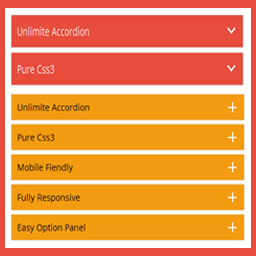
Create beautiful, responsive accordions and FAQ sections with multiple styles, skins, and advanced customization—perfect for organizing content and improving UX. Useful Links Upgrade to Pro Live Preview Documentation Plugin Features Fully responsive. All Browser support. Unlimited Accordions anywher
PricingFree downloadThe WordPress.org download is free. Pro versions, add-ons or external services may cost extra.
CompatibilityRequires WordPress 4.8.0 and PHP 7.4.
SourceWordPress plugins · Oct 22, 2026
01 / Source details
Aboutthistool.
Create beautiful, responsive accordions and FAQ sections with multiple styles, skins, and advanced customization—perfect for organizing content and improving UX.
Useful Links
Upgrade to Pro
Live Preview
Documentation
Plugin Features
Fully responsive.
All Browser support.
Unlimited Accordions anywhere in the theme.
Use via short-code.
5 Different Themes.
Drag & Drop Accordion sorting.
WP Editor for accordion content.
Custom Title background color.
Custom Title Font color.
Custom Title Font Size & Line Height options.
Title Text Alignment (Left, Center, Right).
Show/Hide and Position Accordion Icons (Left, Right).
Custom Content Background Color.
Custom Content Font Color.
Custom Content Font Size, Line Height & Letter Spacing options.
Unlimited accordion anywhere in the themes or template.
Work in all browsers and mobile devices.
Life Time Self hosted auto updated enable.
24/7 dedicated support forum.
Well Documentation.
And much more!
Activation
Once the accordion-wp folder has been uploaded, you can activate the plugin. Go to your WordPress admin panel and select the ‘Plugins’ menu option. You should see a new plugin listed, Accordion-Wp. Click Activate to activate the plugin.
Using the Plugin
Once the plugin has been activated, a new menu called Accordion will appear in menu section. There are Three menu options: ‘Accordion’, ‘Add New Accordion’ & ‘Help & Support’.
Creating First Accordion
Click the Accordion submenu entry entitled ‘Add New Accordion’. This will take you to the accordion creation and editing page, Then click Add New Item to add accordion.
Begin by entering a title & description for your accordion. Description Content can be entered using the Visual or HTML content editors. Any valid HTML content (e.g. images, video etc.) can be displayed inside accordion.
To add a new accordion, Just click the ‘Add New Item’ button & fill all the data .
To remove a Accordion, click the ‘Remove’ button located top right side of the accordion title or visual editor.
Inserting Accordion into a Post/page or Widget
After Publish your accordion, you’ll see a notification that the accordion has been Published, then go to ‘Accordion Configure ’ change your own settings & Shortcode tab copy the shortcode & paste into any where into your post/page or text widgets. save your post/page or widgets and browse to see your accordion.
Note :
Some features is not available in free version . Upgrade Premium!» to unlock all amazing features.
02Go your Pluings setting via WordPress Dashboard and activate it.
03After activate plugin you will see “Accordion” menu at left side on WordPress dashboard and find “Accordion Option Configuration”
Using FTP 1.Extract accordions-wp.zip to your computer. 2.Upload the accordions-wp directory to your wp-content/plugins directory. 3.After activate plugin you will see “Accordion” menu at left side on WordPress dashboard and find “Accordion Option Configuration”
How to use short-code? When accordions options setup done please copy & paste shortcode into your theme any where you want to display this accordions.
Website LLMs.txt and LLMs-Full.txt Generator is an LLMs.txt generator and llms-full.txt generator for WordPress. It helps site owners generate, manage, preview, validate, and serve AI discovery files from published public content. Use it to create structured /llms.txt and optional /llms-full.txt end
EngageDock AI is a customizable floating contact widget for WordPress websites that want more leads and faster visitor communication. It helps small businesses turn website traffic into calls, texts, emails, and callback requests from one clean contact panel. Key Features: Click-to-Call – One tap ca
Altify AI is an auto ALT text and AI ALT text plugin for WordPress images. It helps generate descriptive image ALT text for accessibility and image SEO. Use bulk image ALT text tools for your Media Library, generate featured image ALT text automatically, and scale WooCommerce image ALT updates with
The Accepted Payment Methods plugin is a straightforward, lightweight solution that enhances your website by displaying visually appealing icons of the payment methods you accept. This plugin is ideal for a variety of websites, including e-commerce platforms, service-oriented websites, and informati