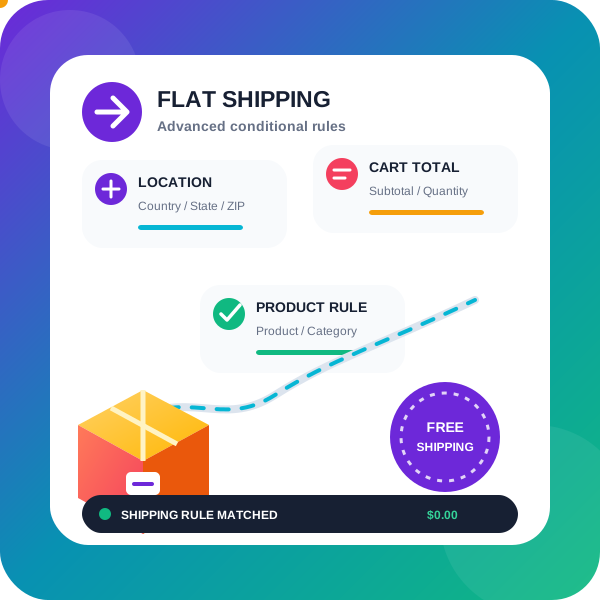
With this Advanced shipping plugin for WooCommerce, you can set up your own advanced rules to determine how much to charge the customer for shipping. This is a highly flexible WooCommerce shipping plugin; it even allows you to offer table rate shipping through additional charges, just like a WooComm
PricingFree downloadThe WordPress.org download is free. Pro versions, add-ons or external services may cost extra.
CompatibilityRequires WordPress 5.6.
SourceWordPress plugins · Nov 16, 2026
01 / Source details
Aboutthistool.
With this Advanced shipping plugin for WooCommerce, you can set up your own advanced rules to determine how much to charge the customer for shipping. This is a highly flexible WooCommerce shipping plugin; it even allows you to offer table rate shipping through additional charges, just like a WooCommerce table rate shipping plugin does.
Using Advanced Shipping for WooCommerce
With our Advanced Flat Rate Shipping Method for WooCommerce, you can create your own rules. When these rules are satisfied, the Advanced Flat rate shipping method will be available to the buyer
This is a highly flexible WooCommerce shipping plugin; it even allows you to offer table rate shipping through additional charges, just like a WooCommerce table rate shipping plugin does
You can apply specific custom shipping rates using this WooCommerce shipping plugin, based on the below condition or combination of conditions:
Following rules are available in the free version of the WooCommerce shipping plugin :
State-based shipping rates : Assign different flat rate shipping method as per the State/County of your customer
Postcode/Zip code based shipping rates : If the user comes from a specific postcode, you can even assign a range of postcodes like 9011…9090; this will assign the shipping method to all the customers whose postcode falls between 9011 and 9090
City/town : offer a shipping method based on the city/town selected by the customer. This does a string comparison for matching, as city is a text field in the WooCommerce checkout process
Country-based shipping rates : Assign shipping rates for the customer of the specific country
Product-based shipping rates : Assign different shipping rates if the customer is purchasing a specific product, say if he is purchasing some very large item that needs different shipping rates then you can do that using this rule, this will even work with the variable product
Category based shipping method : Assign different shipping rates if the customer is purchasing a product from a specific category, say if he is purchasing furniture category product you will need a shipping rate that allows large-item shipping large items, whereas if he is buying from mobile category he can be shipped by normal shipping
Cart Sub Total based shipping rates : If the Cart total reaches some specific value then you can offer him different shipping rates, E.g: if the user is buying 1000$ worth of product then you want to offer him fast shipping for free
Quantity based shipping rates : If you want to offer a different shipping method based on the number of units purchased by the customer then you can do that using this rule
User-based shipping rates : As the name suggests, you can offer some shipping method to some specific user on your site
Free shipping coupon support : You can make a shipping method free when user applies a free shipping coupon
Show a different shipping method when there is a back order product present in the cart
Give only single shipping method option to customer: If you have several shipping options available at a time based on their conditions but prefer not to display them all, you can utilize this feature to present only one shipping method. This single shipping method can be selected from the available options based on either the maximum or minimum shipping charge.
If your site is a multi-currency website then you can apply a shipping method based on the currency selected by the customer
You can make a shipping method that will be shown for more than one shipping zone
show free shipping method when the applied discount in user cart is less then $20, using our “Coupon discount amount” rule
Package Manager (Multiple Shipping Packages per Order)
Easily split orders into multiple shipping packages! With our plugin, you can group products into packages based on category or shipping class or Virtual category. This allows separate shipping methods and costs for each package within the same order.
In the pro version, you can also group by product, category, shipping class, attributes, price, or stock status.
Example Scenario: Charge $20 per unit for fragile items and $10 per unit for non-fragile items.
Create two packages: one for fragile items, one for non-fragile.
Set shipping for fragile items to $20 × quantity, and for non-fragile items to $10 × quantity.
If a customer buys 2 fragile and 3 non-fragile items, they’ll see:
Package 1: Fragile items → $20 × 2 = $40
Package 2: Non-fragile items → $10 × 3 = $30
Check out this video to know how to automatically split order in multiple shipping packages using package manager
Following rules are available in the PRO version of the WooCommerce shipping plugin :
Zone-based shipping rates : Assign different shipping method as per the Shipping zone of your customer
Cart Sub Total (after discount) based shipping rates : Sometimes the user adds a discount coupon so their subtotal reduces and if you want to consider those reduced totals while deciding the flat rate shipping method you can do that using this rule (you have an option to exclude virtual product from this total)
Weight-based shipping rates : If you want to offer different shipping rate based on the total weight of the product in the order or cart then you can do this using this rule, it calculates the total weight of the product in the cart and then based on the set value in the rule it assigns a shipping rate
Product Width based shipping rates : It finds the maximum width of the product in the cart and uses that as the width of the cart and compares with width value set by you in the rule and as per the logic set in the rule it assigns a shipping method
Product Height based shipping method
Product Length based shipping method
Coupon based shipping method : Using this you can show a shipping method if the customer has applied some specific coupon code
Shipping class-based shipping method : Show a specific shipping method, if the user buys a product that belongs to some specific category of shipping class
Payment method based shipping method : Show a specific shipping method, if the user selects a specific payment gateway, E.g: If you have a shipping method that also collects a payment, then you can show that shipping method when the user selects cash on the delivery payment method
Role based shipping method : Using this you can assign a different shipping method as per the user role. E.g: you can offer a different shipping method to a registered customer and different shipping method to those who are doing a Guest checkout
User city based method : You can offer method based on user city, it is string comparison of city name
Shipping class total : this rule applies when customer has purchased an x amount of product from specific shipping class
Shipping class total quantity of product in cart : this rule applies when customer has added x unit of product from a specific shipping class in his cart
Using Flexible shipping method plugin you can have different Shipping method on specific time of the day: Show a shipping method at a specific time of the day, E.g: Show a shipping method between 10am to 1pm only
Shipping method based on Day of the week: Offer a shipping method based on the day of the week. E.g: show a shipping method on Saturday and Sunday only
Shipping method based on Selected delivery day: show a different shipping method based on the delivery day selected by the customer in Delivery date selector added by the plugin Delivery date and time plugin E.g: Show a shipping method when the customer opts for Sunday as delivery date
Shipping method based on Attribute: Offer a shipping method based on the variation Attribute selected, so you can offer a specific shipping method when user select Large size of the attribute Size in the variable product
First order free shipping: Offer free shipping to customer when they are placing first order on your website
Last order total: Offer free shipping to customer if they have purchased more than 100$ worth of product in their last order
Number of orders total: Offer free shipping to customer if they have placed more than 10 orders on your site in last 1 month
Total spend on your website: Offer free shipping to customer if they have spent more than 1000$ on your website in last 1 month of time
Exact set of product or set of category of product : Show a shipping method when exact set of product or product belonging to exact set of category are present in the cart.
Exact set of product or set of category of product not present in the cart : Show a shipping method when exact set of product or product belonging to exact set of category are NOT present in the cart.
Charge $10 for every 100 units of product in the cart
Stop user from purchasing physical product based on conditions, as using this plugin you can hide all shipping method conditionally as well, so if there will be no shipping available then user won’t be able to checkout
WooCommerce Memberships integration: Show a shipping method based on the membership plan of the user
WooCommerce Subscriptions integration: Show a shipping method when user is buying a subscription product
WooCommerce Subscriptions integration: Show a shipping method when user has an active subscription of any product
Remove all other shipping methods when a particular shipping method is activated (PRO)
Remove all other shipping methods of this plugin , when a particular shipping method is activated (PRO)
Remove all other shipping methods of low priority of this plugin , when a particular shipping method is activated (PRO)
Try Pro version Backend | Frontend demo
Custom charge in pro version of Flat rate WooCommerce shipping plugin
The Cost field allows you to charge a flat rate shipping per item, a percentage based cost or a minimum fee.
Available placeholders: [qty] – Number of products in the cart [fee] – An additional fee. This fee has two optional arguments. 10 + ( 2 * [qty] ) – A base shipping cost of $10 plus $2 for each item in the cart. 20 + [fee percent=”10″
See it in action
Screenshots & previews.
List of Flat rate shipping method created using the pluginBasic configuration of the shipping methodConditions available in the shipping methodList of conditions available in the shipping methodAdditional charge configuration in the shipping methodMultiple shipping packages configuration in the shipping methodPI Advanced Flat rate / Conditional shipping for WooCommerce screenshot 7
02 / Source details
Frequently asked questions.
I want to offer shipping for specific country
Yes you can do that using our country based rule
I want to offer flat rate shipping for specific country when their subtotal exceeds certain amount
Yes you can do that by creating a shipping method and adding rule of country and subtotal in it, so when the subtotal will be greater than specified amount and the country selected is as per your rule it will apply this flat rate shipping
I want to set postal code range in the condition
In the pro version you can set range of the postal code in the shipping method rule
I want to remove other shipping method when a particular shipping method is applied
You can do that in the pro version
I want to charge customer a different shipping rate on Weekend than weekdays
In the pro version we have a rule that allows you to offer a different shipping method based on the day of the week
I want to show a shipping method only on weekends
Yes there is a rule in the pro version that allows you to show shipping method based on the order placement day of the week
I want to show a shipping method during the specific time of the day
Yes you can do that in the pro version, there is option to specify the time range and that shipping method will be shown during that time of the day only
I want to show a shipping method based on the Custom delivery date selected by the customer
Yes for this you will need our extra plugin Delivery date and time plugin that allows the customer to select delivery date they want, and then the pro version of this plugin will allow you to create rule based on the day user selected date falls, E.g: if you want to offer free shipping on Sundays, so when the customer will select a delivery date that is on Sunday then that shipping method will be shown to him
How do I set product based shipping method? (If I want to apply shipping cost $20 if cart has particular product)
You have to set a product rule like: a cart contains product equal to Christmas cake, then give a shipping method of cost $20.
How do I set shipping method based on product category and country?
You have to select rule for cart contains category’s product equal to Halloween toy and select country equal to UK then give shipping method of cost $30.
What happens when multiple shipping method rules match (PRO)
Each shipping method gives you option to remove other shipping methods of lower priority. The options available are as: * Hide all other methods * Hide all other methods (excluding WC Local Pickup method) * Hide all methods except the one added by this plugin * Hide all methods except the one added by this plugin and WC Local pickup * Hide all plugin methods with lower priority
How to charge shipping cost for total product’s quantity of cart in WooCommerce store? (PRO)
If you want to charge $10 for total cart’s quantity then you have to set shipping charge like 10*[qty].
Is it possible to create shipping methods based on different zones? (PRO)
Yes, you can create different shipping zones in WooCommerce as per your requirements (based on countries/states/zip-codes), and then you can assign different shipping methods to different zones by using shipping zone condition rule.
I want to offer a different shipping method based on the Delivery day selected by the customer
You will need to install our Order date and time plugin to take the delivery date from the customer and then based on the day selected by the customer you can show appropriate shipping method
Offer shipping method based on Attribute value
In the PRO version you can offer a shipping method based on the attribute selected in the variation product
Using WooCommerce shipping classes weight
In pro version you can restrict shipping method based on the weight of product from specific shipping class
WooCommerce weight based shipping
You can create a weight based shipping by using additional charge based on Cart weight
Want shipping charge to become Zero when Free shipping coupon is applied
There is option inside each shipping method to make that shipping method Free when user applies a free shipping coupon to the cart
Does the plugin support Free shipping coupon
Yes, the plugin does support free shipping coupon. You can enable the option “Make free when free shipping coupon is applied” inside each of the shipping method to make them free when free shipping coupon is applied
Combine multiple shipping carrier rates with different shipping methods into one rate
Yes you can do that in the PRO version of the plugin
Will it show same day shipping method when all the product in the cart are in Stock
Yes that can be done we have a rule “Stock status of product in cart” using this rule you can activate the shipping method when all the products in user cart are in stock
I want to charge shipping as percent of subtotal, but I want the min shipping charge to be 10$ and max shipping charge should not exceed 50$
You can do that in the pro version as there you can set the fees to be percent of subtotal and also set a min max range for shipping charge
I want to only show one shipping method so customers don’t have to choose from multiple shipping methods and I want to show the most expensive of them
Yes you can do that, go to Extra settings tab there you will set “Give only single shipping method option to customer” to be “Maximum: Show the shipping method with highest shipping charge”
Is it HPOS compatible
Yes the Free version and PRO version both are HPOS compatible
Create multiple shipping package
You can divide the products of an order to be delivered in multiple shipping package and then assign different shipping method to each package
How to automatically split order in multiple shipping packages
Check out this video https://www.youtube.com/watch?v=MVPPdukqLp0
Can I configure shipping for UAE States/Emirates?
Yes, you can enable the option “Enable UAE Emirates as States” in the plugin settings. This will add a dropdown of the 7 UAE emirates in WooCommerce billing and shipping address fields, allowing you to configure shipping methods based on the selected emirate.
FinderPress Media Auditor helps site administrators scan for broken images, missing Media Library files, unreachable media URLs, and other media issues across WordPress content. Use it to audit images, video, audio, PDFs, featured images, and attachment files without sending scan data to an external
The Accepted Payment Methods plugin is a straightforward, lightweight solution that enhances your website by displaying visually appealing icons of the payment methods you accept. This plugin is ideal for a variety of websites, including e-commerce platforms, service-oriented websites, and informati