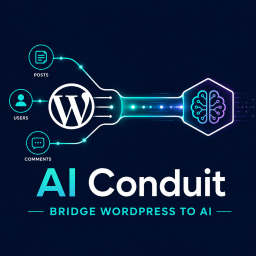
AI Conduit
Your AI assistant is smart — but it knows nothing about your specific WordPress site. AI Conduit fixes that. Once installed, your AI can look up your blog posts, check your WooCommerce orders, pull student progress from LearnDash, or summarise your site’s data — just by asking, in plain language. Th
Your AI assistant is smart — but it knows nothing about your specific WordPress site. AI Conduit fixes that. Once installed, your AI can look up your blog posts, check your WooCommerce orders, pull student progress from LearnDash, or summarise your site’s data — just by asking, in plain language.
Think of it as giving your AI a secure window into your WordPress database. It can read and report. It can never edit, delete, or change anything.
WordPress 7.0 has AI infrastructure — so why AI Conduit?
WordPress 7.0 shipped the Abilities API, AI Client, Connectors screen, and MCP Adapter. For the first time, WordPress has a standardised way for plugins to talk to AI assistants. The architecture is sound. The vision is right. And for most WordPress sites today, none of it does anything useful yet.
Here’s why. The Abilities API is a registry — it only matters if plugins populate it. WordPress 7.0 ships with two baseline abilities. WooCommerce is leading the way, but the vast majority of the plugin ecosystem hasn’t registered anything yet. Until they do, your AI can see the registry, but there’s nothing in it for your site.
The bigger gap is your custom work. Most production sites have custom post types, meta fields, and bespoke integrations that no plugin author can register on your behalf. The only native path to exposing them is custom PHP — writing schemas and permission callbacks for every field you want your AI to read. That’s a developer project, not an afternoon’s work.
AI Conduit closes both gaps. Point and click to give your AI read access to anything in your database — standard fields, custom post types, custom meta, even data added by plugins that haven’t registered abilities yet. No PHP. No waiting on someone else’s roadmap. Working in minutes, not months.
What can you use it for?
- Customer Support — Ask your AI “what did customer John order last week?” and get the answer without opening WooCommerce. Save hours every week.
- E-commerce — “Show me all orders over $5,000 this month.” Your AI assistant pulls the data, you make the decision. No exports, no spreadsheets.
- Content Teams — “List all posts published in the last 30 days with fewer than 500 words.” Your AI does the audit in seconds — not hours.
- Course Creators — With LearnDash, ask “which students haven’t completed Module 3?” and follow up personally — without running a single report.


