The FinderPress tool directory
WordPress plugin
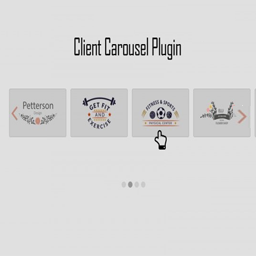
Client Carousel
Client Carousel Plugin lets you display your clients, partners and other associates in a slideshow with the help of shortcode. view demo Features: Fully Responsive Create Unlimited Slides to show your clients Custom Settings including options like pagination speed, multiple carousel styles, number o
PricingFree downloadThe WordPress.org download is free. Pro versions, add-ons or external services may cost extra.
CompatibilityCheck requirements for your WordPress setup before installing.
SourceWordPress plugins · Oct 20, 2026
01 / Source details
About this tool.
Client Carousel Plugin lets you display your clients, partners and other associates in a slideshow with the help of shortcode.
view demo
Features:
- Fully Responsive
- Create Unlimited Slides to show your clients
- Custom Settings including options like pagination speed, multiple carousel styles, number of logos, etc.
- Auto Play Slider Available
- Multiple Hover Styles
- Light Weight
- Developer-friendly
Plugin Information and FAQs
Usage
Manual Insertion of Shortcode
- To insert the Client Carousel, add clients through the ‘Add Client Carousel’ option, copy the shortcode generated and paste it in the page or post you want to show your clients’ slider.
See it in action
Screenshots & previews.
02 / Source details
Getting started.
There are 3 ways to install this plugin:
1. The Easy Method
- 01In your Admin, go to menu Plugins > Add
- 02Search for Client Carousel
- 03Click to install
- 04Activate the plugin
- 05A new option under Settings menu named Client Carousel will appear in your Admin
2. Install Through Zip File
- 06Download the plugin (.zip file) on the right column of this page
Keep exploring




