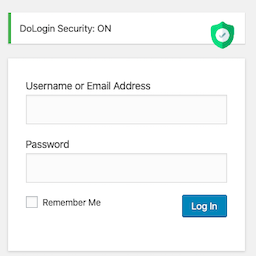
In one click, your WordPress login page will be pretected with the smart brute force attack protection! Any login attempts more than 6 in 10 minutes (default value) will be limited. Limit the number of login attempts through both the login and the auth cookies. Two-factor Authentication login. KeyLo
PricingFree downloadThe WordPress.org download is free. Pro versions, add-ons or external services may cost extra.
CompatibilityRequires WordPress 4.4 and PHP 5.6.
SourceWordPress plugins · Nov 14, 2026
01 / Source details
Aboutthistool.
In one click, your WordPress login page will be pretected with the smart brute force attack protection! Any login attempts more than 6 in 10 minutes (default value) will be limited.
Limit the number of login attempts through both the login and the auth cookies.
Two-factor Authentication login.
KeyLockr SSO scan login with encrypted appdata hash verification and session-bound encryption.
Cloudflare Turnstile (better than Google reCAPTCHA).
Local proof-of-work verification with no third-party service, plus ordered-click and slider-puzzle options backed by PoW. Interactive settings previews show actual server verification results.
GeoLocation (Continent/Country/City) or IP range to limit login attempts.
Passwordless login link.
Support Whitelist and Blacklist.
GDPR compliant. With this feature turned on, all logged IPs get obfuscated (md5-hashed).
WooCommerce Login supported.
XMLRPC gateway protection.
🛡️ Security, explained simply
🔑 A stolen database should not become a bag of ready-to-use login secrets.
DoLogin separates stored data from the WordPress authentication salts. If an attacker copies only the database—but does not have the salts from the site configuration—the protected values cannot be used as login links, TOTP seeds, or signing keys.
🔗 Passwordless and child-site tokens: compare without storing the secret
Secret in the generated link ➜ `salt-keyed HMAC` ➜ `database stores only the verifier`
The raw token is shown when it is created and is never saved in the token table.
Login recomputes the HMAC and compares it in constant time.
A copied database verifier cannot be pasted into a URL as a working login token.
One-time tokens are consumed with an atomic database update, so simultaneous replay attempts cannot both win.
🔐 TOTP and signing keys: encrypted when the server must recover them
TOTP seed or private key ➜ `authenticated encryption + site salt` ➜ `ciphertext in the database`
TOTP verification and digital signatures need the original secret at runtime, so these values cannot use a one-way hash. DoLogin encrypts them instead and rejects modified ciphertext. Existing TOTP seeds and Site Easy Login private keys are migrated automatically.
🏠 Site Easy Login: one signed message, one destination, one use
User + trusted public key + destination + issue time + random token ID ➜ `one Ed25519 signature`
The child site verifies the complete signed message with the public key already saved for that connection. Changing the user or destination breaks the signature, and an atomic consume step blocks replay.
📱 KeyLockr SSO: stable signing and encryption identity
Scan QR ➜ `approve on phone` ➜ `verify Safe + AppData binding` ➜ `WordPress login cookie`
Fixed per-site signing and encryption keypairs let KeyLockr reuse the same backend-owned connection identity.
Existing signing-only key storage is upgraded atomically with one persistent encryption keypair.
The WordPress backend owns all private keys and KPS processing; the browser only opens the short-lived KeyLockr WebSocket and relays opaque signed, encrypted frames to the backend.
Incoming frames are signed, encrypted, timestamp-checked, replay-checked, rate-limited, and accepted only in the expected protocol phase.
Bind and Repair write the WordPress account hash to encrypted KeyLockr AppData, then read it back before completing.
Login requires exactly one WordPress user with the matching Safe ID and binding hash.
After a QR scan, the phone-unlock and approval prompt is highlighted in green so the next action is clear.
🚦 Force KeyLockr SSO that fails closed
Enable force mode after a verified admin binding ➜ `keep QR-only policy active` ➜ `never reopen older interactive login methods automatically`
DoLogin checks the current administrator binding before force mode can be enabled. After that policy is saved, a missing binding, changed App Tag, broken site identity, or unavailable KeyLockr service does not restore password, passwordless-link, connected-site, or password-reset login paths. The WordPress lost-password link and core password-reset screens are removed while force mode is active; unlinking and site-key reset are also blocked. Existing authenticated sessions can disable force mode from settings; if no session remains, rename the plugin folder through FTP or the hosting file manager before repairing the connection. WordPress Application Passwords remain available for API clients.
API
Call the function $link = function_exists( 'dologin_gen_link' ) ? dologin_gen_link( 'your plugin name or tag' ) : ''; to generate one passwordless login link for the current user.
Call the function $link = function_exists( 'dologin_gen_link' ) ? dologin_gen_link( 'note/tip for this generation', $user_id ) : ''; to generate a passwordless login link for the user which ID is $user_id .
The generated one-time used link will be expired after 7 days.
Define const SILENCE_INSTALL to avoid redirecting to setting page after installtion.
KeyLockr SSO Recovery
Forced KeyLockr SSO blocks password, passwordless-link, and connected-site interactive logins. Existing authenticated cookies and WordPress Application Passwords remain available.
DoLogin never restores another interactive login method because KeyLockr is unavailable or the saved binding becomes invalid. Use an existing authenticated administrator session to disable force mode. If no such session remains, rename the plugin folder through FTP or the hosting file manager, then repair the connection before enabling force mode again.
CLI
List all passwordless links: wp dologin list
Generate a passwordless link for one username (for the login name root ): wp dologin gen root
Delete a passwordless link w/ the ID in list (for the record w/ ID 5): wp dologin del 5
How GeoLocation works
When visitors hit the login page, this plugin will lookup the Geolocation info from API, compare the Geolocation setting (if has) with the whitelist/blacklist to decide if allow login attempts.
Privacy
The online IP lookup service is provided by https://www.doapi.us. The provider’s privacy policy is https://www.doapi.us/privacy.
Based on the original code from Limit Login Attemps plugin and Limit Login Attemps Reloaded plugin.
See it in action
Screenshots & previews.
Plugin Site ConnectionsPlugin SettingsPlugin Passwordless LoginPlugin Login Attempts LogLogin Page (KeyLockr SSO QR login)Login Page (2 times left)Login Page (Too many failure)Login Page (Blacklist blocked)WooCommerce login protection
FinderPress Media Auditor helps site administrators scan for broken images, missing Media Library files, unreachable media URLs, and other media issues across WordPress content. Use it to audit images, video, audio, PDFs, featured images, and attachment files without sending scan data to an external
The Accepted Payment Methods plugin is a straightforward, lightweight solution that enhances your website by displaying visually appealing icons of the payment methods you accept. This plugin is ideal for a variety of websites, including e-commerce platforms, service-oriented websites, and informati