The FinderPress tool directory
WordPress plugin
Find & Remove Unused LearnDash Content
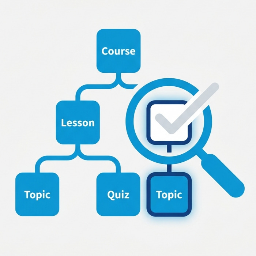
Find & Remove Unused LearnDash Content scans your LearnDash LMS installation and identifies quizzes, lessons, and topics that are not attached to any course structure. Over time these orphaned items accumulate and bloat your database. This plugin is a third-party utility and is not affiliated with o
PricingFree downloadThe WordPress.org download is free. Pro versions, add-ons or external services may cost extra.
CompatibilityRequires WordPress 5.8 and PHP 7.4.
SourceWordPress plugins · Nov 27, 2026
01 / Source details
Find & Remove Unused LearnDash Content scans your LearnDash LMS installation and identifies quizzes, lessons, and topics that are not attached to any course structure. Over time these orphaned items accumulate and bloat your database.
This plugin is a third-party utility and is not affiliated with or endorsed by LearnDash or its parent company.
Key Features
- Three-tab dashboard — separate views for Quizzes, Lessons, and Topics
- Smart detection — uses multiple LearnDash API methods to reliably determine usage
- Course column — shows the parent course even when the quiz is attached via a lesson or topic
- Search — filter by title, post ID, or associated course/lesson name
- Usage filter — switch between All / Used / Unused instantly
- Pagination — configurable rows per page (10 / 25 / 50 / 100)
- Bulk actions — Move to Trash or Permanently Delete selected items
- Trash All Unused — one-click button to move all orphaned items to trash
- CSV Export — export current filtered view to a spreadsheet
- Refresh Scan — clear the cache and force a fresh scan
- Results cached — 5-minute transient cache keeps the UI fast
- No external dependencies — pure WordPress APIs only
Requirements
- WordPress 5.8 or higher
- PHP 7.4 or higher
- LearnDash LMS (tested with LearnDash 4.x)
Usage Detection Logic
A quiz is marked Used if it appears in at least one of:
- 01learndash_get_course_quiz_list() for any course
- 02learndash_get_lesson_quiz_list() for any lesson
Keep exploring


