flowpaper
This is a PDF viewer plugin that allows you to embed your PDF catalogs, magazines and brochures as flipbooks on your web site in HTML5 format for free. FlowPaper Home Page | Flipbook Maker | Examples The plugin supports the majority of browsers and devices. It is currently limited to PDF documents t
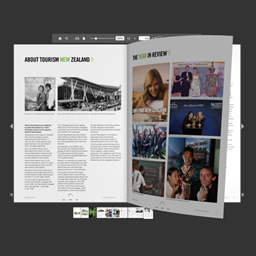
This is a PDF viewer plugin that allows you to embed your PDF catalogs, magazines and brochures as flipbooks on your web site in HTML5 format for free.
FlowPaper Home Page | Flipbook Maker | Examples
The plugin supports the majority of browsers and devices. It is currently limited to PDF documents that are 15 megabytes or smaller for PDFs that are not uploaded to FlowPaper cloud. To publish larger PDF documents, customize the look and to show the viewer without FlowPaper branding, please visit our homepage. It supports both light and dark themes.
How to embed a PDF using a URL:
- 01Add a the plug in shortcode to a post like this: [flipbook pdf="http://full-url/document.pdf"]
- 02Change the PDF Url (“http://full-url/document.pdf”) to a PDF file you want to display. Voila!
How to embed a new PDF uploaded to WordPress:
- 03Click on the “Media” link in the left panel
- 04Upload your PDF document
- 05Click on the uploaded PDF document and copy the URL to the PDF file
- 06Create a new post and add the shortcode [flipbook pdf="http://full-url/document.pdf"] to your post. Update the url in the shortcode to the URL you copied from your media library
How to embed a publication uploaded to FlowPaper Cloud:
- 07Make sure the publication is uploaded to FlowPaper cloud using the desktop publisher
- 08Copy the link that the desktop publisher created for you
- 09Create a new post and add the shortcode [flipbook pdf="http://online.flowpaper.com/publication"] to your post. Update the url in the shortcode to the URL you copied from the desktop publisher
Customizing Theme
Style of the viewer theme (default: “dark”) by adding the “theme” parameter and setting it to either “light” or “dark” like this: [flipbook pdf="http://full-url/document.pdf" theme="light"]
Opening in a Lightbox overlay
You can display a cover of your publication and open it in a lightbox overlay by supplying the “lightbox” and “cover” parameters like this: [flipbook pdf="http://full-url/document.pdf" lightbox="true" cover="https://flowpaper.com/images/demo/zine-magazine@2x.jpg"]


