Form Input Masks For Elementor Forms
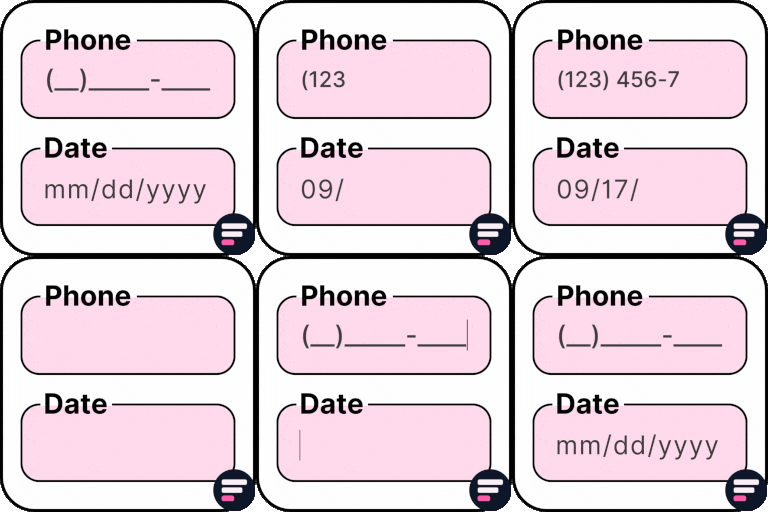
Form Input Masks For Elementor Forms is the ultimate addon for Elementor that allows you to add input masks to your Elementor form fields. By applying input masks, you ensure users enter correctly formatted data, which improves form validation, reduces errors, and creates a smoother user experience.
Form Input Masks For Elementor Forms is the ultimate addon for Elementor that allows you to add input masks to your Elementor form fields. By applying input masks, you ensure users enter correctly formatted data, which improves form validation, reduces errors, and creates a smoother user experience.
- With this plugin, you can add phone number masks, credit card masks, date and time masks, CPF, CNPJ, CEP (Brazilian formats), and many more custom field formats.
- It works seamlessly with Elementor Pro (aff link) and Hello Plus form widgets, making it an essential addon for anyone building professional forms with Elementor.
👉 View Input Masks Demo
If you want even more advanced form functionality, you can extend your Elementor forms with Cool FormKit (aka coolformkit ). With Cool FormKit, you can use a Range Slider for interactive numeric input, a Calculator Field to build calculators like BMI or EMI, a Rating Field to collect reviews, a Signature Field for e-signatures, and Conditional Fields to dynamically show or hide inputs.
Supported Input Masks
Phone Masks: Add phone number formats for multiple countries like USA, Brazil, and more.
- 0000-0000
- (000) 000-0000
- (00) 0000-0000
- (00) 0.0000-0000
Credit Card Masks: Format credit card numbers and expiry dates with validation.
- Credit Card: 0000-0000-0000-0000
- Expiry Date: 00/00
Date & Time Masks: Keep date and time entries consistent and error-free.
- Date: 00/00/0000
- Time: 00:00:00
- Date & Time: 00/00/0000 00:00:00
Currency Masks: Standardize money inputs with comma or dot separators.
- Comma Format: 00,000.00
- Dot Format: 00.000,00



