The FinderPress tool directory
WordPress plugin
Headit
This plugin addresses the need for a simple way to add HTTP headers to outbound HTTP responses in your site. These headers can include custom ones specific to your application, or can be security related. Some you may wish to specify to protect your site may include: Public-Key-Pins Strict-Transport
PricingFree downloadThe WordPress.org download is free. Pro versions, add-ons or external services may cost extra.
CompatibilityRequires WordPress 4.0.
SourceWordPress plugins · Nov 15, 2026
01 / Source details
This plugin addresses the need for a simple way to add HTTP headers to outbound HTTP responses in your site.
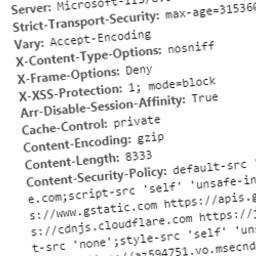
These headers can include custom ones specific to your application, or can be security related. Some you may wish to specify to protect your site may include:
- Public-Key-Pins
- Strict-Transport-Security
- X-Frame-Options
- X-XSS-Protection
- X-Content-Type-Options
- Content-Security-Policy
- Content-Security-Policy-Report-Only
Related Links
- Troy Hunt – Introducing you to browser security headers on Pluralsight
- PluralSight.com – Introduction to Browser Security Headers
- OWASP – List of useful HTTP headers
- Scott Helme – Hardening your HTTP response headers
See it in action
Screenshots & previews.
02 / Source details
This section describes how to install the plugin and get it working.
- 01Upload the plugin files to the /wp-content/plugins/headit directory, or install the plugin through the WordPress plugins screen directly
- 02Activate the plugin through the Plugins screen in WordPress
- 03Use the Settings->Headit screen to configure the plugin
Keep exploring


