hideShowPassword
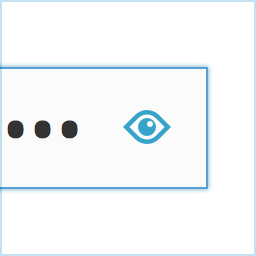
Lets you easily show or hide the contents of the password field on the WordPress login screen. Uses the excellent hideShowPassword jQuery plugin by the equally excellent Cloud Four . Suggested reading: “a compendium of why and how to show passwords and what’s coming next” by Luke Wroblewski. Options
Lets you easily show or hide the contents of the password field on the WordPress login screen. Uses the excellent hideShowPassword jQuery plugin by the equally excellent Cloud Four .
Suggested reading: “a compendium of why and how to show passwords and what’s coming next” by Luke Wroblewski.
Options
A settings section is added to the ‘General Settings’ page. You can select between toggling password visibility via an icon in the password field (default) or via a checkbox below the password field.
Translations
The default setting of toggling the password via an icon in the password field does not require translation as no text will be visible to the user. If you select the option of toggling the password via a checkbox, the following translations are included:
- Dutch
- German
Github
Fork me on Github .
Screenshots & previews.
- 01Install hideShowPassword either via the Plugins Add New Screen , or by uploading the files to your server
- 02Activate the plugin through the ‘Plugins’ menu in WordPress
Frequently asked questions.
Installation Instructions
Install hideShowPassword either via the Plugins Add New Screen , or by uploading the files to your server Activate the plugin through the ‘Plugins’ menu in WordPress


