KB HTML Site Importer & Visual Editor
Upload your website ZIP and publish its pages in WordPress. Preview different screen sizes, make visual edits, or update files with the built-in code editor. Key features Import multi-page static sites as WordPress pages or posts. Keep your site’s images and files together when importing. Preview de
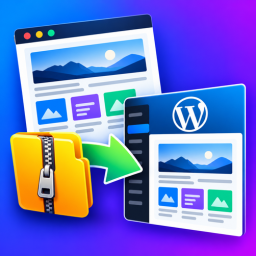
Upload your website ZIP and publish its pages in WordPress. Preview different screen sizes, make visual edits, or update files with the built-in code editor.
Key features
- Import multi-page static sites as WordPress pages or posts.
- Keep your site’s images and files together when importing.
- Preview desktop, tablet and mobile screen sizes.
- Edit text, links, buttons, images and page layout visually.
- Edit and format website files, search and replace code, and download a site ZIP.
- Replace images and website files while keeping your published page links.
Security and permissions
Import and editing tools are available to site administrators. ZIP files are checked before their contents are added.
KB HTML Site Importer & Visual Editor does not make automatic requests to external services. The plugin dashboard contains optional links to Key2blogging support and YouTube resources; those sites are only opened when an administrator clicks the links.
Multi-page imports
Each HTML/HTM file becomes a WordPress page. Nested paths use hyphenated slugs. WordPress adds a suffix if an unrelated page already owns a slug. Select a non-Plain permalink structure for clean URLs.
For existing imports, use Sync HTML Pages. Matching source paths retain their page IDs. Sources removed during ZIP replacement become drafts. Navigation links are rewritten at render time; arbitrary JavaScript navigation and form endpoints are not converted.
Visual editor
A compact, single-row toolbar sits above the website preview. Responsive controls are available from the Preview dropdown. Undo, Redo and Revert original are available there. The settings panel floats over the preview and remembers its position and size. Toggle the sidebar with the settings icon, or close it with its close button or Escape. Clicking a page element opens its settings. Inspector sections behave as an accordion.
The initial preview is Desktop at 1920 × 1080. Choose Desktop, Tablet or Mobile, select a preset, or enter a custom width and height. Rotate swaps dimensions. Fit preview scales the display while preserving the selected CSS viewport dimensions. Device presets simulate viewport size, not device hardware or browser behavior.


