InsertCart Print Designer for WooCommerce
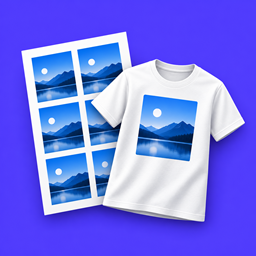
InsertCart Print Designer for WooCommerce lets customers personalize photo-printing and T-shirt products before adding them to the cart. Configure the printing service for each product, show a live preview, and receive the customer’s original images and adjusted artwork with the order. Documentation
InsertCart Print Designer for WooCommerce lets customers personalize photo-printing and T-shirt products before adding them to the cart. Configure the printing service for each product, show a live preview, and receive the customer’s original images and adjusted artwork with the order.
Documentation and first setup
Read the full documentation and screenshot guides for installation, photo sheets, T-shirts, image editing, order artwork, and printing.
After activation, open WooCommerce > Print Designer for the built-in setup guide. It is included in the plugin and works without opening an external website. A one-time welcome notice links to it, and Setup guide / Documentation links are available in the Plugins list. The Product data > InsertCart Print Designer tab also links to the setup guide and product-settings documentation.
Photo-sheet printing
- Choose the total prints and the maximum number of different uploaded photos.
- Configure sheet size, photo size, columns, margins, and gaps in millimetres.
- Split prints evenly across uploaded photos, with any remainder assigned to the first photos.
- Show the complete sheet layout while customers crop and position their photos.
For a 96-photo product, one uploaded photo produces 96 copies, two produce 48 each, and three produce 32 each. The default layout uses A2 paper, eight columns, and 35 x 45 mm photos. These 96 photos cannot fit on A4 at that size. Invalid layouts are highlighted in the product editor and cannot be ordered.
T-shirt printing
- Allow artwork on the front, the back, or both sides.
- Use the built-in shirt preview or select your own front/back mockup images.
- Configure the printable area using percentage coordinates and physical artwork dimensions.
- Preserve PNG transparency in adjusted shirt artwork.
Customers can zoom, rotate, drag to reposition, use horizontal/vertical sliders, and choose fit or fill. Low-resolution crops show a warning to help customers choose a suitable source image.


