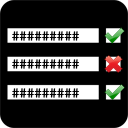
This plugin adds jquery form validation to your contact form 7. You will be able to validate extra validation rules like: url, date, credit card, phone number in the contact form 7 fields. Benefits you get from this plugins. Adds Jquery Validation to Contact Form Fields. More faster validation than
PricingFree downloadThe WordPress.org download is free. Pro versions, add-ons or external services may cost extra.
CompatibilityRequires WordPress 3.0.
SourceWordPress plugins · Nov 23, 2026
01 / Source details
Aboutthistool.
This plugin adds jquery form validation to your contact form 7. You will be able to validate extra validation rules like: url, date, credit card, phone number in the contact form 7 fields.
Benefits you get from this plugins.
Adds Jquery Validation to Contact Form Fields.
More faster validation than of contact form core validation.
Allows field to be validated for url, date, credit card, number and more.
Field Highlight features for invalid field data types.
Error message for individual fields.
Easy to to add validation rules. Just add class in contact form 7 fields.
Interactive validation that your users love.
Works with multiple forms now.
Validation Methods available in lite version.
Required
Email
Url
Date
Number
Digit only
Credit Card
US Phone number
Letters Only
IBAN (International Bank account number)
LITE VERSION DEMO
Documentation How To Use | Validation Methods
Additional Validation Methods available in PRO version.
Multiple Custom Code Validation with One time Code option.
Custom RegEx Validation – Define any validation rules you need.
Alpha Numeric – Letters, numbers, and underscores only
Bank or Giro account number.
BIC Code – Accepts Valid BIC Code Only.
Giro Account – Accepts Giro Account number only.
Integer – Accepts positive or negative non-decimal number.
IPv4 / IPv6 – Accepts IPv4/IPv6 IP address only.
Mobile UK – Accepts UK Mobile number only.
Phone UK – Accepts UK phone number only.
US State – Accpets US state only.
Minimum Number – Makes the element require a given minimum.
Maximum Number – Makes the element require a given maximum.
Minimum Length – Makes the element require a given minimum length.
Maximum Length – Makes the element require a given maximum length.
Range Length – Makes the element require a given value range.
Range – Makes the element require a given value range.
Equal To – Requires the element to be the same as another one
Extension – Makes the element require a certain file extension
Require Group – Ensures a given number of fields in a group are complete.
Additional Features in Pro version.
4 different validation error theme to choose from.
Change validation error message .
PRO VERSION DEMO | BUY PRO VERSION
For Support Please Visit https://wordpress.org/support/plugin/jquery-validation-for-contact-form-7/ .
Don’t forget to check the instructions in the setting page of the plugin.
jQuery Validation for Gravity Form available Need javascript based validation for Gravity Forms ? Check out our jQuery Validation For Gravity Form plugin here .
See it in action
Screenshots & previews.
Contact Form With extra jquery validation in front end.Setting and Instruction For Jquery Validation For Contact Form 7.Change Error MessageValidation Error Theme 1 (Lite Version)Validation Error Theme 2 (Only Available in Pro Version)Validation Error Theme 3 (Only Available in Pro Version)Validation Error Theme 4 (Only Available in Pro Version)Validation Error None (Lite Version)
02 / Source details
Gettingstarted.
01You can install plugin directly from WordPress Plugin menu. Search for Jquery Validation For Contact Form 7 and click on Install OR you can download the plugin and install jquery-validation-for-contact-form-7.zip from Upload Plugin button from WordPress Plugin menu.
02Activate the Jquery Validation For Contact Form 7 plugin through the ‘Plugins’ menu in WordPress.
03Select Jquery Validation For Contact Form 7 under Settings
04Don’t forget to check the instructions in the setting page of the plugin.
03 / Source details
Frequently asked questions.
Does it works with multiple contact form ?
Yes, this plugin has been take care to handle multiple forms in a single page.
Is there custom code validation ?
Custom code validation is available only in Pro version. You can get the Jquery Validation For Contact Form 7 Pro from here .
Can i change error message ?
With Jquery Validation For Contact Form 7 Pro you can change the error msg from the settings.
FinderPress Media Auditor helps site administrators scan for broken images, missing Media Library files, unreachable media URLs, and other media issues across WordPress content. Use it to audit images, video, audio, PDFs, featured images, and attachment files without sending scan data to an external
The Accepted Payment Methods plugin is a straightforward, lightweight solution that enhances your website by displaying visually appealing icons of the payment methods you accept. This plugin is ideal for a variety of websites, including e-commerce platforms, service-oriented websites, and informati