The FinderPress tool directory
WordPress plugin
Before After Image
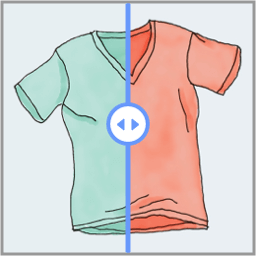
Before After Image lets visitors drag a handle to compare two images side-by-side. Works in three ways — use whichever fits your site: Shortcode — You can you shortcodes on any post or page. Use the built-in shortcode builder to generate shortcodes easily. Elementor widget — drag and drop the widget
PricingFree downloadThe WordPress.org download is free. Pro versions, add-ons or external services may cost extra.
CompatibilityRequires WordPress 6.2 and PHP 5.6.
SourceWordPress plugins · Nov 11, 2026
01 / Source details
Before After Image lets visitors drag a handle to compare two images side-by-side.
Works in three ways — use whichever fits your site:
- Shortcode — You can you shortcodes on any post or page. Use the built-in shortcode builder to generate shortcodes easily.
- Elementor widget — drag and drop the widget onto any page with full style controls.
- WooCommerce — attach a before/after comparison to any product directly from the product editor.
View Demo
Full usage instructions, shortcode options, and WooCommerce setup steps are available inside the plugin under the Before After Image menu.
Key Features
- Works standalone via shortcode — Elementor and WooCommerce are both optional
- WooCommerce product integration with per-product settings
- Elementor widget with full style controls
- Horizontal and vertical orientation
- Handle movement by drag or mouse hover
- Customisable before/after labels (on hover, always, or never)
- Enable/disable overlay
- Default handle offset position
- Six handle styles
- Handle types: Arrows or Text
- Slider colour — white or black (line, handle, and arrows)
- Image size option
- Typography and colour options (Elementor)
- Touch and pointer-event support
Before After Image Pro
Want more features? Check out Before After Image Pro :
- Auto-Slide Animation — Grab attention with an automatically sweeping handle. Configure speed and pause-on-hover behavior.
Keep exploring



