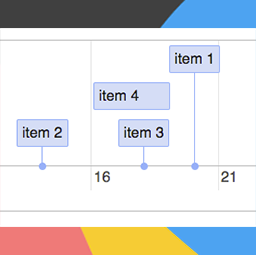
MaxiCharts Timeline
Create beautiful timelines based on posts, pages or free csv datasheets. Uses the wonderfull js library vis.js . Integrates with Gravity Flow Shortcodes Create a timeline for blog’s posts or other post type (even CPT): [maxicharts_timeline_post type="[post|page|cpt1|cpt2|...] groups="[draft|pending|
Create beautiful timelines based on posts, pages or free csv datasheets. Uses the wonderfull js library vis.js . Integrates with Gravity Flow
Shortcodes
Create a timeline for blog’s posts or other post type (even CPT):
[maxicharts_timeline_post type="[post|page|cpt1|cpt2|...] groups="[draft|pending|publish...]"]"
Create a timeline from a csv:
[maxicharts_timeline_csv data_path="[url_of_your_file.csv]" separator="[,|;]"]
where:
- type : is the post type you want to create timeline for
- data_path : is the URL of your .csv file
- separator : specifies the csv separator, usually , or ;
- groups : only show post with these statuses
Inside your CSV file (url set in data_path ), you need to use field defined by the visjs timeline documentation . Required fields are content and start , all others are optional.
Create a timeline for Gravity Flow :
[maxicharts_timeline_gravity_flow form_id=[form_id] entry_id=[entry_id] groups=[step|assignee|workflow]]
where:
- form_id : is the gravity forms form ID you want to create timeline for
- entry_id : is the GF entry ID you want to create timeline for
- groups : coma separated list of status types you want to make appear on the timeline
Easy
- 01Search via plugins > add new.
- 02Find the plugin listed and click activate.
- 03Use the Shortcodes



