The FinderPress tool directory
WordPress plugin
MX Time Zone Clocks
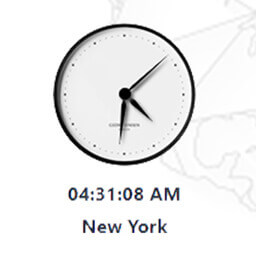
MX Time Zone Clocks – the ultimate solution for displaying multiple time zone clocks on your WordPress website effortlessly! With our plugin, you can now provide your users with the convenience of viewing time zone differences instantly, making scheduling and collaboration across different regions a
PricingFree downloadThe WordPress.org download is free. Pro versions, add-ons or external services may cost extra.
CompatibilityRequires WordPress 6.0.
SourceWordPress plugins · Nov 16, 2026
01 / Source details
MX Time Zone Clocks – the ultimate solution for displaying multiple time zone clocks on your WordPress website effortlessly! With our plugin, you can now provide your users with the convenience of viewing time zone differences instantly, making scheduling and collaboration across different regions a breeze.
How does it work?
I want to thank Harish Premkumar for his jQuery plugin Canvas Clock
See it in action
Screenshots & previews.
02 / Source details
From your WordPress dashboard
- 01Visit ‘Plugins > Add New’
- 02Search for ‘MX Time Zone Clocks’
- 03Activate the plugin from your Plugins page.
From WordPress.org
- 04Download ‘MX Time Zone Clocks’.
- 05Upload the ‘MX Time Zone Clocks’ directory to your ‘/wp-content/plugins/’ directory, using your favorite method (ftp, sftp, scp, etc…)
- 06Activate ‘MX Time Zone Clocks’ from your Plugins page.
Keep exploring


