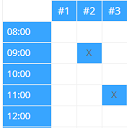
Occupancy Plan
Occupancy Plan provides schedules for sports facilities, rooms, courts, halls and other shared resources. Create schedules in WordPress and publish each with a shortcode. Visitors can browse available periods without reloading the complete page. Depending on the schedule configuration and their perm
Occupancy Plan provides schedules for sports facilities, rooms, courts, halls and other shared resources. Create schedules in WordPress and publish each with a shortcode.
Visitors can browse available periods without reloading the complete page. Depending on the schedule configuration and their permissions, guests or logged-in users can create bookings, view details and manage existing bookings directly in the frontend.
SCHEDULE DISPLAY AND NAVIGATION * Daily, one-week, two-week, monthly and yearly schedule views * Responsive desktop and mobile layouts * AJAX navigation between dates, weeks, months, years and courts without reloading the page * Optional compact monthly week picker for fast navigation in weekly views * Configurable weekday selection, abbreviated weekday names and optional navigation header * Print-optimized schedule, including the date below each weekday in the weekly view * Configurable header, text, border, booking background and booking text colors * Eight selectable frontend themes via shortcode: Classic, Modern, Cards, Minimal, Dark, Soft, Outline and Sport * Independent display density via shortcode: Normal, Compact or Spacious * Anonymized frontend display and configurable booking tooltips
PLANS, COURTS AND TIME SLOTS * Create and manage multiple independent occupancy schedules * Limit each schedule to a configurable start and end date * Configure operating hours and time intervals from 5 to 90 minutes * Define break periods and optional breaks between consecutive slots * Use automatically generated periods or individually configured fixed time slots with display names * Manage multiple courts, rooms or other resources with custom names, short names and sort order * Divide resources into named child courts or sub-resources * Configure schedules for time-based or full-day bookings
BOOKINGS AND SERIES * Create, edit, delete and move authorized bookings in the frontend * When enabled per schedule, reserve a second court/resource with one logical booking; both entries stay synchronized * Create and manage bookings in the WordPress administration area * One-time, weekly, monthly, flexible, every-second-week and continuous-period booking intervals * Continuous bookings with independent start and end dates and times, including overnight reservations * Exceptions for individual dates in recurring bookings, for example holidays * Conflict detection for times, courts, child courts and recurring bookings * Configurable booking window with independent minimum and maximum lead times * Booking priorities to control the display order of overlapping entries * Prepared booking templates for frequently used booking data * Custom booking colors, contact information, comments and authorized users * Up to four configurable custom fields, including mandatory fields and selectable values


