The FinderPress tool directory
WordPress plugin
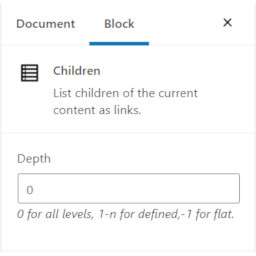
SB Children block
Use the Children block ( oik-sb/children ) to list children of the current content as links. Works for any hierarchical post type which supports page-attributes, such as page.
PricingFree downloadThe WordPress.org download is free. Pro versions, add-ons or external services may cost extra.
CompatibilityRequires WordPress 5.4.2 and PHP 7.2.0.
SourceWordPress plugins · Oct 24, 2026
01 / Source details
Use the Children block ( oik-sb/children ) to list children of the current content as links. Works for any hierarchical post type which supports page-attributes, such as page.
See it in action
Screenshots & previews.
02 / Source details
- 01Upload the plugin files to the /wp-content/plugins/sb-children-block directory, or install the plugin through the WordPress plugins screen directly.
- 02Activate the plugin through the ‘Plugins’ screen in WordPress
OR
With the authority to install plugins:
- 03In the block editor, open the block inserter.
- 04Search for the block by typing ‘Children’.
- 05Click on the ‘Add block’ button for the SB Children block.
- 06The SB Children block plugin will be installed and activated.
- 07And the block will be inserted into your content.
03 / Source details
What are the values for the depth parameter?
Value – Meaning 0 – Display all descendents in a tree 1 – Display Children only 2 – Display Children and Grandchildren n – Display n levels of descendents -1 – Display all descendents in a single list
Keep exploring




