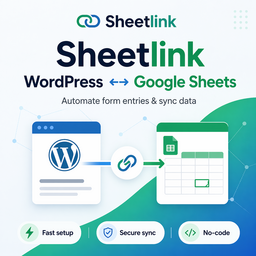
SheetLink Forms sends your form submissions straight to Google Sheets or Excel. Every submission becomes a properly mapped row – no manual exports, no per-submission fees, no Zapier account. Why SheetLink 12 form plugins, one screen – one plugin and one set of rules for every form on the site, inste
PricingFree downloadThe WordPress.org download is free. Pro versions, add-ons or external services may cost extra.
CompatibilityRequires WordPress 5.8 and PHP 7.4.
SourceWordPress plugins · Nov 28, 2026
01 / Source details
Aboutthistool.
SheetLink Forms sends your form submissions straight to Google Sheets or Excel. Every submission becomes a properly mapped row – no manual exports, no per-submission fees, no Zapier account.
Why SheetLink
12 form plugins, one screen – one plugin and one set of rules for every form on the site, instead of a separate connector per form builder
Free and unlimited – no per-task fees, no entry caps, no account to create
Local-first – rows go from your server to Google; your form data never passes through ours
Nothing gets lost – a delivery log for every send and a retry queue that recovers failed ones
Setup takes about three minutes: pick your form plugin, map fields to columns, and connect Google in one click. SheetLink creates the sheet, or you pick an existing one with Google’s file picker. Prefer not to connect an account? Paste the generated Apps Script into your own sheet instead.
Local-first. Submissions go from your server straight to Google, never through SheetLink’s servers. The one-click connection uses our sign-in broker only to link and renew your account; your form data never passes through it. No telemetry, no activation pings, no required account.
Supported form plugins
Contact Form 7, WPForms, Gravity Forms, Elementor Pro, Fluent Forms, Formidable Forms, Ninja Forms, Forminator, Everest Forms, Beaver Builder, Divi and WS Form – all from one admin screen.
Everything in this plugin is free and unlimited: every form integration, unlimited sync rules, field mapping, the retry queue, delivery logs, attribution capture, conditional routing, mirrors to Excel Online, Airtable and Notion, local analytics and a multisite overview. Additional features are available in SheetLink Pro, a separate plugin sold at sheetlinkwp.com, and two optional hosted services (the Lead Inbox client portal and AI Lead Scoring) work with this plugin. The Features section below lists all of it.
Features
Free
All 12 form integrations, unlimited sync rules, field mapping
One-click Google Sheets connect, using Google’s restrictive drive.file scope, so SheetLink only ever sees sheets it creates or you pick
Hosted services (optional, work with this free plugin)
AI Lead Scoring – 0-100 scoring of captured leads through the SheetLink API, off by default, behind a consent checkbox
Lead Inbox client portal – a hosted portal where your clients work their leads without a WordPress login
Both are documented in the External services section below.
External services
This plugin contacts the external services below. Google is core to the plugin’s function; every other service is optional and is never contacted until you enter its credentials and enable it. Each entry says what the service is for, what data is sent and when, with links to the provider’s terms and privacy policy. Token storage and privacy-notice guidance are in the FAQ.
Google Sheets API and Google Drive (one-click connection)
Google’s official Sheets and Drive APIs, used only after you click “Connect Google” and grant consent at Google’s own sign-in screen. Per matching submission, the form field values you mapped (plus optional enrichment such as timestamps, UTM parameters, IP address and page URL, if enabled) are written from your server to sheets.googleapis.com ; creating a sheet and listing tabs use the same API, and the file picker uses www.googleapis.com/drive/v3/ and loads Google’s Picker script in wp-admin only. The scope is drive.file , so SheetLink can only ever see spreadsheets it creates or that you pick. Sign-in and periodic token renewal go through SheetLink’s broker at sheetlinkwp.com/api/sheetlinkwp/oauth/google/ so the Google client secret stays off your site; your form data never passes through the broker. Disconnecting clears the stored token and stops all calls. Google Terms of Service | Google Privacy Policy
Google Apps Script (classic method)
A web app you deploy in your own Google Sheet receives the mapped field values (plus optional enrichment, as above) on each matching submission. Receiver URLs are validated to begin with https://script.google.com/ or https://script.googleusercontent.com/ . This method uses no API keys and no OAuth – nothing but your own Google script is contacted. Apps Script documentation | Google Terms of Service | Google Privacy Policy
SheetLink License Server (only if you activate a licence)
Contacted only if you activate a paid licence: once when you paste the key, every 12 hours to refresh the cached entitlements, and when you click “Re-check entitlements”. It sends your licence key (or purchase email as a fallback) and this site’s domain – never form submissions, user accounts or site content – to sheetlinkwp.com/api/sheetlinkwp/verify and /entitlements . Deactivating from the License page stops all calls; free features keep working with no further requests. SheetLink Terms | SheetLink Privacy Policy
SheetLink AI Lead Scoring (optional, off by default)
A hosted service that returns a 0-100 score, a hot/warm/cold band and a one-sentence explanation per captured lead. It runs only when your licence includes it AND you have ticked “Score incoming leads with AI” in Lead Settings, on WP-Cron rather than during the submission. It sends the submitted field values with contact details removed first (exactly how is in the FAQ) plus this site’s activation token to sheetlinkwp.com/api/sheetlinkwp/lead-score . Unticking the box stops all requests immediately. SheetLink Terms | SheetLink Privacy Policy
SheetLink AI Analytics extras (optional, off by default)
Three optional per-submission extras on the Analytics page – sentiment, summary and category – computed by the same hosted service. Called only when the specific extra AND AI consent in Lead Settings are both enabled. Sends the field values scrubbed exactly as for AI Lead Scoring, your own category list when the category extra is on, and the activation token to sheetlinkwp.com/api/sheetlinkwp/analytics . Everything else on the Analytics page is computed locally and sends nothing. SheetLink Terms | SheetLink Privacy Policy
Microsoft Graph API (only when Excel Online is connected)
Microsoft’s OneDrive and Excel Online API. Used only after you click “Connect Excel”, grant consent at Microsoft’s sign-in page, pick a workbook and table, and enable Excel on a rule. Per submission, the field values you mapped are inserted into your chosen Excel table at graph.microsoft.com . Token refresh goes through SheetLink’s broker at sheetlinkwp.com/api/sheetlinkwp/oauth/microsoft/ so the Azure client secret stays off your site; form data never passes through the broker. Disconnecting stops all calls and clears the stored tokens. Microsoft Services Agreement | Microsoft Privacy Statement
Airtable API (only when an Airtable destination or mirror is configured)
Creates a record in your Airtable table at api.airtable.com once per matching submission and on “Send Test” – but only after you enter an Airtable personal access token, base and table and enable Airtable on a rule. It sends the field values you mapped (or all captured fields if you set no mapping) with your token as the credential. Disabling the rule or clearing the stored token stops all requests. Airtable Terms of Service | Airtable Privacy Policy
Notion API (only when a Notion destination or mirror is configured)
Creates a page in your Notion database at api.notion.com once per matching submission and on “Send Test”; it also reads the database schema when you open the settings page so your Notion properties can be offered for mapping. Requires a Notion internal integration token and database ID. It sends the field values you mapped (or all captured fields if you set no mapping) with your token as the credential. Disabling the rule or clearing the stored token stops all requests. Notion Terms of Service | Notion Privacy Policy
Twilio API (only when SMS Alerts are configured)
Sends you an SMS or WhatsApp alert per matching submission (and on test sends) after you enter a Twilio Account SID, auth token, from-number and recipients, and enable alerts on a rule. It sends the alert body you composed – which by default contains the form values you put in the template – the sending and recipient phone numbers, and your Twilio credentials to api.twilio.com . Disabling alerts or clearing the credentials stops all requests. Twilio Terms of Service | Twilio Privacy Policy
Meta (Facebook) Conversions API (only when Meta CAPI is configured)
Reports a form submission to your Meta advertising pixel as a server-side conversion event, after you enter a pixel ID and access token and enable it on a rule. It sends: the submitter’s email and phone number hashed with SHA-256 before leaving your server (never in plain text), the fbclid click ID if present, the submitter’s IP address and browser user-agent as-is (Meta uses these to match the event), the page URL,
See it in action
Screenshots & previews.
Guided setup - five steps from install to your first WordPress form submission in Google Sheets, about three minutes, no Apps Script and no Zapier.Connect Google once - sign in, create a new sheet or pick an existing one, and SheetLink reads your header row. Then create the rule for that sheet from the same screen.A sync rule is three fields - name it, choose the form plugin, and one-click Google is already selected. Field mapping, update mode and routing wait under Advanced options.Per-form rules with a live delivery log - every send listed with its route, field count, HTTP status and any error, plus a one-click Send Test.Dashboard - total leads synced, estimated savings vs Zapier, active rules, the retry queue, and the setup guide one click away.Destinations - every rule writes to Google Sheets and can mirror the same row to Excel Online, Airtable or Notion.Retry queue - failed deliveries are retried automatically every 15 minutes, up to 3 attempts, or with one click.Ad tracking - GCLID, wbraid, gbraid, fbclid and msclkid captured with each submission, ready for offline conversion exports.
02 / Source details
Gettingstarted.
From your WordPress admin (recommended)
01In your WordPress admin, go to Plugins → Add New .
02Search for “SheetLink Forms”.
03Click Install Now , then Activate .
04The setup wizard opens automatically and walks you through connecting your first form to Google Sheets in about three minutes.
Manual upload
05Download the sheetlink-forms.zip file.
06In WordPress, go to Plugins → Add New → Upload Plugin and upload the zip, or extract it into /wp-content/plugins/sheetlink-forms/ .
07Activate the plugin from the Plugins menu.
08The setup wizard opens automatically. If you dismissed it, visit SheetLink in the admin menu and click + Add Rule to configure your first sync rule manually.
What you’ll need
09One of the 12 supported form plugins (listed under Supported form plugins above)
10A Google account with access to Google Sheets
11About three minutes
03 / Source details
Frequently asked questions.
How do I send Contact Form 7 submissions to Google Sheets?
Install SheetLink Forms, create a sync rule, choose your Contact Form 7 form, connect Google, and map the form fields to spreadsheet columns. New submissions are added as rows automatically. Step-by-step guide: Connect Contact Form 7 to Google Sheets .
Can I connect WPForms Lite to Google Sheets for free?
Yes. Both WPForms Lite and WPForms Pro are supported, and the free SheetLink plugin sends unlimited WPForms submissions to Google Sheets. Step-by-step guide: Connect WPForms to Google Sheets .
How do I connect Elementor Forms to Google Sheets?
Create a sync rule, select your Elementor Pro form, connect or pick a Google Sheet, and map each Elementor field to a column. Step-by-step guide: Connect Elementor Forms to Google Sheets .
Does SheetLink support Gravity Forms to Google Sheets?
Yes. Gravity Forms entries go to Google Sheets in real time, with custom field mapping, delivery logs, and automatic retries. Step-by-step guide: Connect Gravity Forms to Google Sheets .
Can WordPress forms send entries to Excel Online?
Yes. SheetLink mirrors submissions into an Excel Online workbook on Microsoft 365 or OneDrive for free, alongside your Google Sheet. Making Excel a rule’s only destination is a feature of the separate SheetLink Pro plugin. Note that Microsoft’s Excel API supports business accounts only – personal Outlook.com OneDrive is not supported by Microsoft for this. Step-by-step guide: WordPress forms to Microsoft 365 .
Do I need to create an account or register?
No. SheetLink Forms works immediately after installation. No account, no registration, no license key required.
Do I have to paste an Apps Script into my sheet?
Not anymore. Connect your Google account in one click and SheetLink writes rows through Google’s official Sheets API – it can create the sheet for you, or you pick an existing one with Google’s own file picker. The classic Apps Script method remains fully supported for users who prefer a zero-account, script-only setup; both are free.
Do I need a Zapier account?
No. SheetLink Forms sends data directly from WordPress to Google Sheets – through your one-click connected Google account or via a free Google Apps Script. No third-party services needed.
Does the plugin call home or track anything?
No telemetry, no analytics beacons, no activation pings. On a default install, form submissions go only to the Google destination you configured – never through SheetLink’s servers. If you use the one-click Google or Microsoft connection, the sign-in handshake and periodic token renewal go through SheetLink’s OAuth broker at sheetlinkwp.com; your form data never does.
Several optional features, each off until you configure it, do send submission data elsewhere: the Excel Online, Airtable and Notion destinations send it to Microsoft, Airtable and Notion respectively; SMS Alerts sends your alert text to Twilio; Meta Conversions API sends a hashed conversion event to Meta; and three optional hosted features route data through SheetLink’s own servers – AI Lead Scoring, AI Analytics extras, and the Lead Inbox client portal. See the “External services” section below, which documents every one of them individually.
What does AI Lead Scoring remove from a lead before sending it?
Names and phone numbers are replaced with the placeholder “provided”, email addresses are reduced to their domain, and any email address or phone number typed into a free-text answer is redacted in place. Free-text answers are otherwise sent as written, since that is what the rating is based on. The form identifier, the source form plugin name, the site URL and WordPress user account data are never sent.
How are my Google and Microsoft tokens stored?
Refresh tokens are encrypted with AES-256-GCM (key derived from your site’s wp_salt( 'auth' ) via HKDF) before being written to your own database, and are cleared the moment you disconnect. Access tokens are short-lived (about an hour). Nothing is stored on SheetLink’s servers beyond what the OAuth broker needs to complete the handshake.
Do I need to update my privacy notice when I enable these features?
If your forms collect personal data: with the one-click Google or Excel connection, list googleapis.com or graph.microsoft.com (and sheetlinkwp.com for the sign-in broker) as processors. With AI Lead Scoring, AI Analytics extras or the Lead Inbox portal, list sheetlinkwp.com as a processor – the portal transfers lead contact details in plain text, so satisfy yourself that you have a lawful basis first. Meta Conversions API shares an IP address and hashed contact details with Meta for ad measurement, which in the EU/UK and similar jurisdictions normally requires disclosure and consent – list Meta as a recipient and obtain consent where your local law requires it before enabling it.
Which form plugins are supported?
Elementor Pro Forms, Contact Form 7, Gravity Forms, WPForms, Fluent Forms, Formidable Forms, Ninja Forms, Forminator, Everest Forms, Beaver Builder, Divi, and WS Form.
How do I set up the Google Sheet?
You don’t have to. Click “Connect Google” and SheetLink creates the sheet for you, or pick an existing one with Google’s file picker; the header row is read from the sheet. If you prefer the classic method instead, click “Get Script” on a rule, paste the generated code into your sheet’s Apps Script editor (Extensions > Apps Script) and deploy it as a web app.
Can I send different forms to different sheets?
Yes. Create multiple sync rules, each pointing to a different Google Sheet (a different connected sheet, or a different Apps Script URL with the classic method).
Is my data secure?
Form submission data is sent directly from your WordPress server to Google over HTTPS: to sheets.googleapis.com (Google’s official Sheets API) when you use the one-click connection, or to the Google Apps Script URL you configure with the classic method (only script.google.com and script.googleusercontent.com URLs are allowed as receivers). It never passes through SheetLink’s servers. If – and only if – you tick “Score incoming leads with AI” on the Lead Settings page (AI Lead Scoring, a hosted service), a scrubbed copy of each submission is also sent over HTTPS to https://sheetlinkwp.com/api/sheetlinkwp/lead-score . Every other feature of the plugin runs locally on your WordPress server.
What happens if the Google Sheet is unavailable?
The submission is logged as failed and automatically retried up to 3 times (every 15 minutes). You can also retry manually from the Retry Queue page.
Is SheetLink a free Zapier alternative?
For form-to-spreadsheet delivery, yes. Zapier charges per task on a paid plan. SheetLink delivers unlimited form submissions from your WordPress site directly to Google Sheets at no cost – no per-task fees, no subscription, no registration. You own the entire pipeline.
Does SheetLink work with Fluent Forms, Formidable, Ninja Forms and the others?
Yes. All 12 supported form plugins work in the free plugin with the same rule editor, field mapping, delivery log and retry queue. Step-by-step guides for each are at sheetlinkwp.com/how-to .
Can I send WooCommerce orders to Google Sheets?
Yes, with WooCommerce Sync in the separate SheetLink Pro plugin. It pushes orders (created, completed, refunded), customers, and product catalogue changes (price, SKU, stock, status) to Google Sheets in real time. The free plugin covers form submissions.
How is SheetLink different from single-form connectors?
Most form-to-Sheets plugins handle one form builder, so a site with two builders needs two connectors. SheetLink supports 12 form plugins from a single admin interface, includes an automatic retry queue that recovers failed deliveries, captures UTM and click-ID parameters for marketing attribution, runs local analytics on your own WordPress database, and ships a guided setup wizard that takes new installs from zero to a working Google Sheet in about three minutes.
Does SheetLink work with WordPress Multisite?
Yes. The free plugin includes a network-admin overview of all subsites. The Agency Dashboard and bulk site management are part of the separate SheetLink Pro plugin on the Agency plan.
FinderPress Media Auditor helps site administrators scan for broken images, missing Media Library files, unreachable media URLs, and other media issues across WordPress content. Use it to audit images, video, audio, PDFs, featured images, and attachment files without sending scan data to an external
The Accepted Payment Methods plugin is a straightforward, lightweight solution that enhances your website by displaying visually appealing icons of the payment methods you accept. This plugin is ideal for a variety of websites, including e-commerce platforms, service-oriented websites, and informati