The FinderPress tool directory
WordPress plugin
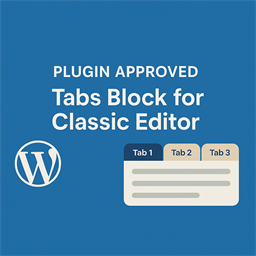
Tabs Block for Classic Editor
Tabs Block for Classic Editor is a clean and elegant tab display plugin for WordPress posts and pages. It supports: A toolbar button in the Classic Editor to insert tab shortcodes via popup A sidebar menu button in Gutenberg for quick tab shortcode insertion Simple and flexible shortcode format comp
PricingFree downloadThe WordPress.org download is free. Pro versions, add-ons or external services may cost extra.
CompatibilityRequires WordPress 5.0 and PHP 7.0.
SourceWordPress plugins · Nov 15, 2026
01 / Source details
Tabs Block for Classic Editor is a clean and elegant tab display plugin for WordPress posts and pages. It supports:
- A toolbar button in the Classic Editor to insert tab shortcodes via popup
- A sidebar menu button in Gutenberg for quick tab shortcode insertion
- Simple and flexible shortcode format compatible with most themes
- Responsive frontend tab UI that automatically generates switchable tab sections
Shortcode usage example:
[tabsblcl_tabs] [tabsblcl_tab title=”标签1″]这里是内容[/tabsblcl_tab] [tabsblcl_tab title=”标签2″]这里是内容[/tabsblcl_tab] [/tabsblcl_tabs]
License
This plugin is released under the GPL v2 or later.
Developer: TuDouCode Website: https://tudoucode.cn
See it in action
Screenshots & previews.
02 / Source details
- 01Upload the plugin folder to /wp-content/plugins/ , or install via the WordPress plugin dashboard.
- 02Activate the plugin through the “Plugins” menu in WordPress.
- 03In the Classic Editor, you will see an “Insert Tabs” button on the toolbar.
- 04In Gutenberg, a “Insert Tabs” option will appear in the sidebar menu.
- 05Click the button and follow the prompt to generate the tab shortcode.
- 06Save your post and view the tabbed content on the frontend.
03 / Source details
Frequently asked questions.
Which editors are supported?
Keep exploring


