The FinderPress tool directory
WordPress plugin
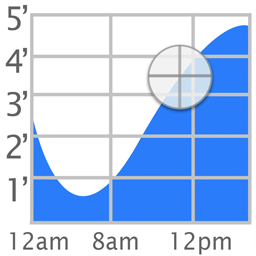
Tide Graph
The popular iOS Tide Graph app is now available as a WordPress widget.
PricingFree downloadThe WordPress.org download is free. Pro versions, add-ons or external services may cost extra.
CompatibilityRequires WordPress 2.7.1.
SourceWordPress plugins · Nov 21, 2026
01 / Source details
The popular iOS Tide Graph app is now available as a WordPress widget.
See it in action
A closer look.
02 / Source details
To install Tide Graph,
- 01Upload tide-graph.php to the /wp-content/plugins/ directory
- 02Activate the plugin through the ‘Plugins’ menu in WordPress
- 03Go to Appearance->Widgets and enable the Tide Graph widget.
- 04To change the settings, go to Appearance->Customize->Widgets. Then select on the area where your widget (ex. Footer). Finally select Tide Graph Widget to see the options: Background, Scale, Location, Latitude, and Longitude.
03 / Source details
Frequently asked questions.
How do I change the location
Click on the map button and select a new location. Then highlight the name of the station that appears above the graph.
What colors are allowed
Colors can be white, black, transparent, or a 6 digit hex value preceeded by a # sign (ex. #FFFFFF)
Keep exploring


