The FinderPress tool directory
WordPress plugin
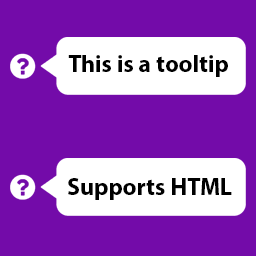
Tooltip for Gravity Forms
Add tooltips next to Gravity Forms field labels very easily. Supports placements, themes, animations. Update: Now you can use shortcodes as tooltip content! Big Update: You can now use HTMLs in your tooltip and choose themes, animations, placements! How to use: Add your text to the “Tooltip Text” fi
PricingFree downloadThe WordPress.org download is free. Pro versions, add-ons or external services may cost extra.
CompatibilityRequires WordPress 3.0.1.
SourceWordPress plugins · Nov 18, 2026
01 / Source details
Add tooltips next to Gravity Forms field labels very easily. Supports placements, themes, animations. Update: Now you can use shortcodes as tooltip content! Big Update: You can now use HTMLs in your tooltip and choose themes, animations, placements!
How to use:
- Add your text to the “Tooltip Text” field while editing gravity forms fields.
- Save changes and tooltips will appear next to label automatically in the form.
See it in action
Screenshots & previews.
02 / Source details
This section describes how to install the plugin and get it working.
- 01Upload gravity-forms-tooltip folder to the /wp-content/plugins/ directory
- 02Activate the plugin through the ‘Plugins’ menu in WordPress
Keep exploring


