WP Login Form
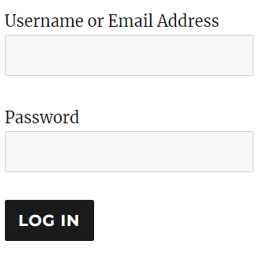
WP Login Form allows you to create a simple login form for use anywhere on the front end of your WordPress site. You can add it to a post, page or your sidebar with a shortcode. WP Login Form Add-ons Force Redirect Custom Error How to Create a Custom Login Page for WordPress In order to create a log
About this tool.
WP Login Form allows you to create a simple login form for use anywhere on the front end of your WordPress site. You can add it to a post, page or your sidebar with a shortcode.
WP Login Form Add-ons
- Force Redirect
- Custom Error
How to Create a Custom Login Page for WordPress
In order to create a login form or custom login page for WordPress with the default options, all you need to do is use this shortcode:
[wp_login_form]
However, there are other parameters that you can pass in the shortcode to customize it.
redirect
An absolute URL to which the user will be redirected after a successful login. For example,
[wp_login_form redirect="https://example.com/mypage/"]
The default is to redirect back to the URL where the form was submitted.
form_id
Your own custom ID for the login form. For example,
[wp_login_form form_id="myloginform"]
The default is “loginform”.
label_username
Your custom label for the username/email address field. For example,
[wp_login_form label_username="Login ID or Email"]
The default is “Username or Email Address”.
label_password
Your custom label for the password field. For example,
[wp_login_form label_password="Login Password"]
The default is “Password”.
label_remember
Your custom label for the remember field. For example,
[wp_login_form label_remember="Remember"]
The default is “Remember Me”.
label_log_in
Your custom label for the form submit button. For example,
[wp_login_form label_log_in="Submit"]
The default is “Log In”.
id_username
Your own custom ID for the username field. For example,
[wp_login_form id_username="wp_user_login"]
The default is “user_login”.
id_password
Your own custom ID for the password field. For example,
[wp_login_form id_password="wp_user_pass"]
The default is “user_pass”.
id_remember
Your own custom ID for the remember field. For example,
[wp_login_form id_remember="login_rememberme"]
The default is “rememberme”.
id_submit
Your own custom ID for the form submit button. For example,
[wp_login_form id_submit="login_form_submit"]
The default is “wp-submit”.
remember




