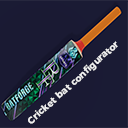
BatForge – 3D Cricket Bat Configurator
BatForge adds a full-screen, real-time 3D configurator to any WooCommerce cricket bat product. Customers rotate, zoom, and customize the bat — choosing colors, grip style, and stickers/decals — and see every change rendered instantly in 3D before adding their exact configuration to the cart. Live de
BatForge adds a full-screen, real-time 3D configurator to any WooCommerce cricket bat product. Customers rotate, zoom, and customize the bat — choosing colors, grip style, and stickers/decals — and see every change rendered instantly in 3D before adding their exact configuration to the cart.
Live demo:
Key features
- Real-time 3D preview powered by a locally-bundled Three.js engine — no third-party CDN calls, no external service required.
- Per-product enable/disable, so it only appears on the WooCommerce products you choose.
- Built-in GLB Config Builder tool: drag in your own .glb 3D model, map its mesh names to colour/sticker/material controls, and export a ready-to-use configuration — no coding required.
- Customer sticker/decal uploads (PNG, JPG, GIF, WEBP — validated and size-limited server-side).
- Live price breakdown — each colour, material, or sticker option can carry its own price modifier, totalled automatically.
- The customer’s exact selections are attached to the WooCommerce cart item and order, visible in cart, checkout, order emails, and admin order screen.
- Light/dark theme toggle, mobile-friendly bottom-sheet panel, PNG export of the final design.
- Custom button text and UI label overrides per product.
- Works with any GLB model exported from Blender or similar — not hardcoded to one mesh or product.
Requirements
- WooCommerce (active and configured).
- A .glb 3D model of the product you want customers to configure (the bundled GLB Config Builder tool helps you wire one up).
Privacy / Third-Party Services
BatForge makes no calls to any third-party service, CDN, or analytics endpoint. The 3D engine (Three.js) and its Draco decoder are bundled locally with the plugin. Customer-uploaded sticker images are stored in your own WordPress media library, the same as any other media upload.




