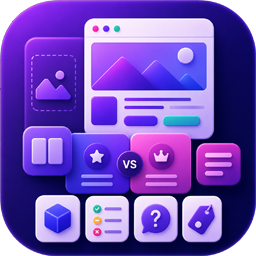
ClassicAddons is a library of designed Gutenberg blocks for building landing pages, sales pages and marketing sections in the native WordPress block editor — with zero front-end JavaScript and no page-builder bloat. Instead of another 50-block mega-plugin full of generic containers and buttons, you
PricingFree downloadThe WordPress.org download is free. Pro versions, add-ons or external services may cost extra.
CompatibilityRequires WordPress 6.4 and PHP 8.0.
SourceWordPress plugins · Nov 23, 2026
01 / Source details
Aboutthistool.
ClassicAddons is a library of designed Gutenberg blocks for building landing pages, sales pages and marketing sections in the native WordPress block editor — with zero front-end JavaScript and no page-builder bloat.
Instead of another 50-block mega-plugin full of generic containers and buttons, you get a focused set of polished, conversion-focused section blocks — hero, pricing table, testimonials, team, comparison table, FAQ and more — that look professionally designed the moment you insert them.
Every block is server-rendered (dynamic PHP), ships no front-end JavaScript , and only loads its own CSS on pages that actually use it. The result: clean markup, fast pages and great Core Web Vitals.
Learn more »
Why you’ll love it
🚫 Zero front-end JavaScript — no jQuery, no scripts, no render-blocking. Blocks render on the server and each block’s CSS is only loaded where it’s used.
🧱 Designed sections, not a block box — opinionated hero, pricing, testimonial, comparison and FAQ sections that look finished on insert, instead of raw primitives you have to style from scratch.
🔍 Rich-result-ready — an FAQ block with optional FAQPage schema (JSON-LD) for rich results, plus selectable heading tags (H1–H6) so your document outline stays correct for SEO.
📱 Fully responsive — separate desktop / tablet / mobile controls for typography, padding and visibility.
🎨 Genuinely designed — sensible defaults that look great out of the box, plus deep customization (typography, spacing, color, gradient, borders) when you want it.
🧩 Composable — cards drop straight into core Columns / Grid layouts and stretch to equal height.
🧱 Native block editor — built on block.json , the Block Supports API and standard hooks. Works with block themes and Full Site Editing (FSE).
The blocks
Hero Section — a fully customizable hero section with pill, gradient heading, two CTAs, an animated social-proof bar and a browser-mockup image. Ideal for SaaS, agency and product landing pages.
Pricing Table — a pricing plan card (name, price, features, badge, featured style) with a flexible CTA — a link or a JS button with custom id, classes and data-attributes (works with Paddle.js and similar). Drop several into a Columns or Grid layout for a full pricing table.
Testimonial — a review card with quote, star rating, avatar and author details. Drop several into a Columns layout for a testimonial wall.
Team Member — a staff/profile card with photo, name, role, short bio and social links (X, Facebook, Instagram, LinkedIn, YouTube, website, email).
Comparison Table — a feature-by-feature comparison table with a highlighted column, good/bad/meh status pills and an optional in-card header and footnote. Great for affiliate, SaaS and product-review pages.
FAQ (accordion + schema) — an accessible FAQ accordion (native details/summary) with optional FAQPage JSON-LD schema for rich results.
Info Box — a feature card with an icon (dashicon / image / emoji / custom SVG), title, description, optional link and 5 style variations.
Versus Box — a head-to-head two-card layout with an optional “VS” badge, custom item icons and ribbon badges.
Eyebrow — a small pill/label for section headers: alignment, optional link, icon (dashicon / image / emoji / SVG), colors, background, border and typography.
Section — a full-width container/row with background (color / gradient / image / overlay) and an adjustable inner content max-width. Drop any blocks inside.
Ready-made patterns
Not sure where to start? Insert a ready-made pattern built from these blocks and just edit the text:
Hero: SaaS launch — a full hero with headline, two buttons and a social-proof bar.
Pricing: 3 tiers — a three-column pricing section with a highlighted, recommended plan.
Testimonials: 3-up wall — a three-column wall of review cards for social proof.
Team: 3-up grid — a three-column team/staff grid with roles and social links.
Features: 3-up icon grid — a three-column feature grid with icons.
FAQ: centered section — an accessible FAQ accordion with optional schema.
Find them in the block inserter under the Patterns tab → ClassicAddons .
Built for performance and quality
Dynamic PHP rendering via render callbacks (lean, secure, cache-friendly).
Zero front-end JavaScript — the FAQ accordion uses native details / summary , and entrance effects are pure CSS with reduced-motion support.
Frontend and editor assets are separated, and styles are enqueued the WordPress way ( wp_add_inline_style ), so CSS only loads for the blocks on the page.
Block style variations (Light / Dark / Elevated and more) across most blocks.
Reusable controls — typography, spacing, color, gradient, icon picker and a responsive (desktop / tablet / mobile) helper — organized into clear Content / Style / Advanced tabs.
Follows the WordPress Coding Standards with full escaping, sanitization and i18n.
Perfect for
Landing pages, sales pages, SaaS and product sites, agency and portfolio sites, affiliate and review sites, and anyone who wants professional marketing sections in the block editor without installing a heavyweight page builder.
Source Code & Build Process
This plugin is fully open source (GPL-2.0-or-later). The complete, human-readable source for every compiled asset is bundled inside the plugin in the /src directory. The minified files in /build are generated from /src using the official @wordpress/scripts toolchain (webpack under the hood) — no other build tools are required.
To regenerate the compiled assets from source:
01npm install — installs the build dependencies declared in package.json .
02npm run build — compiles /src into /build .
Use npm start for a watched development build. There is no obfuscation; the build step only bundles and minifies the JavaScript and SCSS that ships in /src .
See it in action
Screenshots & previews.
Build a complete, professional landing page in the block editor — no page builder required.The full block library: hero, pricing, testimonials, team, comparison, FAQ and more, all in one ClassicAddons category.Pricing Table — build a multi-column pricing section with a highlighted "featured" plan.Testimonial wall and Team Member grid for instant social proof.Comparison Table and Versus Box — perfect for SaaS, affiliate and product-review pages.
02 / Source details
Gettingstarted.
01In your WordPress admin go to Plugins → Add New , search for “ClassicAddons Gutenberg Blocks”, then click Install and Activate . (Or upload the classicaddons-content-blocks folder to /wp-content/plugins/ .)
02Open any page or post in the block editor.
03Click the + inserter and search for a block name (e.g. “Pricing Table” or “Testimonial”) or browse the ClassicAddons category.
04Add the block and customize it from the Content / Style / Advanced inspector tabs.
If you install from source, run npm install && npm run build inside the plugin directory first (see below).
03 / Source details
Frequently asked questions.
Do I need a page builder to use these blocks?
No. Everything runs inside the native WordPress block editor (Gutenberg). There is no separate builder, canvas or lock-in — just standard blocks you can mix with any core or third-party blocks.
Can I build a whole landing page with these blocks?
Yes. Combine the Hero, Info Box, Pricing Table, Testimonial, Comparison Table and FAQ blocks (inside the Section container) to assemble complete landing and sales pages — no page builder required.
Will this slow down my site?
No. Blocks render on the server with no front-end JavaScript, and each block’s CSS is only loaded on pages where the block is actually used.
Do the blocks add render-blocking JavaScript?
No. There is zero front-end JavaScript. The FAQ accordion uses the browser’s native details / summary elements and all entrance effects are pure CSS.
Does the FAQ block add schema for rich results?
Yes. The FAQ block can output FAQPage structured data (JSON-LD) so your questions and answers are eligible for FAQ rich results in search engines. It’s a toggle you can turn off per block.
Is it compatible with Full Site Editing (FSE) and block themes?
Yes. The blocks use block.json , the Block Supports API and standard WordPress hooks, so they work in the post editor and the Site Editor.
Can I build a testimonials or team grid?
Yes. The Testimonial and Team Member blocks are composable — add a core Columns or Grid block and drop several inside. Cards stretch to equal height automatically.
Which social networks does the Team Member block support?
X (Twitter), Facebook, Instagram, LinkedIn, YouTube, a generic website link and email.
Can I change the heading tag for SEO?
Yes — heading tags are selectable (H1 through H6, or div) so you keep a correct document outline.
Does it work with my theme’s colors?
Yes. Color and gradient pickers inherit your active theme palette, and you can always set custom values.
Is the plugin translation ready?
Yes. All strings are internationalized and a translation template ( .pot ) is included.
FinderPress Media Auditor helps site administrators scan for broken images, missing Media Library files, unreachable media URLs, and other media issues across WordPress content. Use it to audit images, video, audio, PDFs, featured images, and attachment files without sending scan data to an external
The Accepted Payment Methods plugin is a straightforward, lightweight solution that enhances your website by displaying visually appealing icons of the payment methods you accept. This plugin is ideal for a variety of websites, including e-commerce platforms, service-oriented websites, and informati