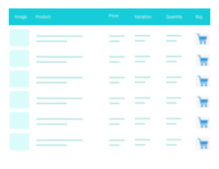
Quickest way to create custom product sections on any WooCommerce store. Create new table shortcode and paste it on the page. Lightweight and optimized to handle heavy WooCommerce stores even if you have 200,000 products across 2,000 product categories. You get great mobile view , wide range of them
PricingFree downloadThe WordPress.org download is free. Pro versions, add-ons or external services may cost extra.
CompatibilityRequires WordPress 4.9 and PHP 7.0.
SourceWordPress plugins · Oct 31, 2026
01 / Source details
Aboutthistool.
Quickest way to create custom product sections on any WooCommerce store. Create new table shortcode and paste it on the page.
Lightweight and optimized to handle heavy WooCommerce stores even if you have 200,000 products across 2,000 product categories. You get great mobile view , wide range of themes support and can upgrade with our Premium extension with amazing features.
A truly simple yet powerful plugin without any unnecessary features, no huss fuss or no low page speed score!
Bug Report | Get PRO
FEATURES
Supports simple and variable products
Supports all currency formats
Option for different columns on different tables
Auto select product checkbox when product quantity increases
Pre-selected products on the table
AJAX and form submit add to cart methods
In-table variation attributes
Out-of-stock variation – shows out of stock text and auto disables input fields
Correct variation attribute order
Auto select default attribute value
Available variations – auto removes unavailable options
Table filter by date, title and price
Add to cart confirmation message when quantity or checkbox fields is missing
Auto outline incorrect input fields on add to cart error
Works on multisite
On-scroll sticky table header on the top and total price on the bottom
Column name change options page
Default table quantity option
Add to cart redirect: on add to cart form submit, redirect to this page
Table options – custom products, categories, types and columns
Third-party price customization
Custom themes support like Avada, Astra, Bricks, Divi and plugins like YITH WooCommerce Dynamic Pricing & Discounts
Multilingual plugins support like WPML, PolyLang
Translation ready : you can translate the plugin using Loco Translate, TranslatePress plugins
Translated in – French, Italian, Spanish, Portuguese, German, Norwegian, Dutch, Polish, Russian, Chinese
Truly lightweight and extremely fast, almost no impact on page speed
See all features
SEE THE DEMO
PRO FEATURES
New! Variations as Product Rows feature added.
Grouped and Subscription product types support
Category, Tag, SKU, Stock and Rating columns
AJAX search box with SKU search
Extra table filters: category and tag
Extend product image with image gallery
Add to cart button for each product
Section by category – create dynamic sections by each product categories
Quick checkout – displays a cart section right next to the table
Import, export settings and tables
Product quantity selector buttons to the table
Redirect to custom page after add to cart
Multilingual plugin support with 10 new languages
Support for WooCommerce All Products for Subscriptions
Rocket speed 24/7 support
See all PRO features
3rd Party Plugin Support
WooCommerce Subscriptions
HOW TO You can create the product table shortcode from Multiple Products > Add Product Table. Example: [woo-multi-cart table="1"]
See it in action
Screenshots & previews.
Available variations with Out-of-stock textCart confirmation messageAdd to cart error notice with marked invalid fieldsMobile viewsAJAX search box with searched SKU and category filter (PRO)Groupd product with it's children (PRO)Variations as product rows (PRO)Quick checkout section for the table (PRO)Admin settings
02 / Source details
Gettingstarted.
01Upload the plugin folder “multiple-products-to-cart-for-woocommerce” to the /wp-content/plugins/ directory, or install the plugin through the WordPress plugins screen directly.
02Activate the plugin through the ‘Plugins’ screen in WordPress
03In the left menu bar of the dashboard Multiple Products > Settings
03 / Source details
Frequently asked questions.
Does it support multisite?
Yes.
How can I add a product table in pages?
You can add new product table using the shortcode generator. Simply go to Multiple Products > Add Product Table
Where is the settings?
In the left menu bar of the dashboard Multiple Products > Settings
How can I modify the product table?
The WooCommerce product table template can be overridden by copying it to yourtheme/templates/listing-list.php .
Will it work on any theme or page builder?
Yes, it will work fine on any standard theme or page builder like Gutenberg, Elementor, DIVI, WPBakery Composer etc.
Where can I get PRO support?
Most of our PRO customer’s problem solved within 24 hours of their first contact. Please contact here if you are a PRO customer.
Website LLMs.txt and LLMs-Full.txt Generator is an LLMs.txt generator and llms-full.txt generator for WordPress. It helps site owners generate, manage, preview, validate, and serve AI discovery files from published public content. Use it to create structured /llms.txt and optional /llms-full.txt end
EngageDock AI is a customizable floating contact widget for WordPress websites that want more leads and faster visitor communication. It helps small businesses turn website traffic into calls, texts, emails, and callback requests from one clean contact panel. Key Features: Click-to-Call – One tap ca
Altify AI is an auto ALT text and AI ALT text plugin for WordPress images. It helps generate descriptive image ALT text for accessibility and image SEO. Use bulk image ALT text tools for your Media Library, generate featured image ALT text automatically, and scale WooCommerce image ALT updates with
The Accepted Payment Methods plugin is a straightforward, lightweight solution that enhances your website by displaying visually appealing icons of the payment methods you accept. This plugin is ideal for a variety of websites, including e-commerce platforms, service-oriented websites, and informati