Alex Player
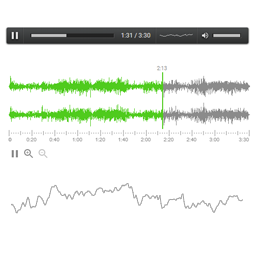
This audio player is designed to play local audio files or radio streams on your website. It has 6 components: media player, wavesurfer, waveform visualization, equalizer, circular spectrum and play button. Live Demo View live demo here Shortcodes Media player shortcode: [UIMediaPlayer file="/demo.m
About this tool.
This audio player is designed to play local audio files or radio streams on your website. It has 6 components: media player, wavesurfer, waveform visualization, equalizer, circular spectrum and play button.
Live Demo
View live demo here
Shortcodes
Media player shortcode:
[UIMediaPlayer file="/demo.mp3" color="#c0c0c0" width="600"]
Wavesurfer shortcode:
[UIWaveSurfer file="/demo.mp3" color="#4fcb1d" color2="#8b8b8b"]
More shortcode examples
Thanks to the authors
- Milenko Mitrovic for the DC-DSP Filter – most of digital signal processing algorithms was reused from DC-DSP Filter.
- Ryan Geiss for the Geiss plugin – the minimal version of Geiss was ported into this project as fullscreen audio visualization.
Screenshots & previews.
Getting started.
To install this plugin you need to do the following:
- 01Upload the plugin files to the /wp-content/plugins/plugin-name directory, or install the plugin through the WordPress plugins screen directly
- 02Activate the plugin through the ‘Plugins’ screen in WordPress
- 03Insert shortcodes into the text of your post, list of the shortcodes provided below.
Frequently asked questions.
After I modify the shortcode it stopped working, why? When you modify the text the wordpress editor could insert invisible markup. To remove that markup you can copy the shortcode to notepad, and than copy it back from notepad to wordpress editor.
Why this player does not play media file from remote url? Due to web browser security policy it does not allow to read and process audio which located on remote host. The exception are files where “Access-Control-Allow-Origin: *” is present, such files can be played remotely.




