Block Editor: Reverse Columns on Mobile
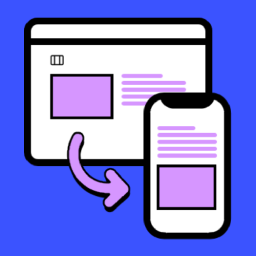
This plugin adds a “Reverse on Mobile” option to the Columns, Row, Stack and Media & Text blocks in the WordPress Gutenberg block editor. A common layout challenge: you have two columns on desktop, image on the right, text on the left. On mobile, they stack vertically, but the image ends up below th
This plugin adds a “Reverse on Mobile” option to the Columns, Row, Stack and Media & Text blocks in the WordPress Gutenberg block editor.
A common layout challenge: you have two columns on desktop, image on the right, text on the left. On mobile, they stack vertically, but the image ends up below the text. With this plugin, you can reverse the stacking order so the image appears first, without touching your desktop layout.
Simply enable the “Reverse on Mobile” toggle in the block settings and the order is automatically adjusted on small screens.
If this plugin saves you time, buy me a coffee ☕ or leave a ★★★★★ review . It really helps!
A closer look.
- 01Download the plugin.
- 02Unzip the downloaded file.
- 03Upload the block-editor-columns-reverse folder to the /wp-content/plugins/ directory.
- 04Activate the plugin through the ‘Plugins’ menu in WordPress.
Frequently asked questions.
Which blocks are supported?
The core/columns , core/group (flex layouts), and core/media-text blocks are supported.
How do I enable the “Reverse on Mobile” option?
In the block editor, select a Columns, Row, Stack or Media & Text block, then go to the block settings in the sidebar. You will see an option to “Reverse on Mobile”.




