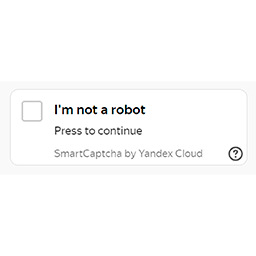
Captcha by Yandex for Contact Form 7
Yandex Captcha protects you against spam and other types of automated abuse. With Contact Form 7’s Yandex Captcha integration module, you can block abusive form submissions by spam bots. Using of a 3rd Party or external service This plugin uses Yandex SmartCaptcha service for its main functionality.
About this tool.
Yandex Captcha protects you against spam and other types of automated abuse. With Contact Form 7’s Yandex Captcha integration module, you can block abusive form submissions by spam bots.
Using of a 3rd Party or external service
This plugin uses Yandex SmartCaptcha service for its main functionality. Please read terms of use
To implement the main plugin functionality, this plugin makes remote requests to yandex smart captcha service (https://smartcaptcha.cloud.yandex.ru) within three cases: – to check yandex captcha sitekey validity – to load captcha challenge – to check a solving result
Screenshots & previews.
Getting started.
This section describes how to install the plugin and get it working.
- 01Upload the plugin files to the /wp-content/plugins/captcha-by-yandex-for-contact-form-7 directory, or install the plugin through the WordPress plugins screen directly.
- 02Activate the plugin through the ‘Plugins’ screen in WordPress.
- 03Go to Contact form 7 plugin integration page
- 04Setup site key and server key from yandex cloud
- 05Open the contact form and press Yandex captcha tag button to add captcha in your form




