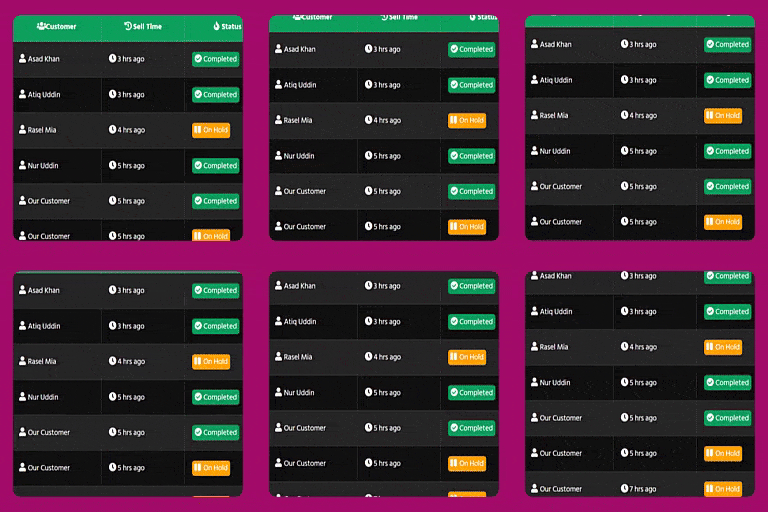
Order List Table Elementor Widget for WooCommerce
🚀 Beautiful Order & Product Tables — Built Inside Elementor Build attractive order activity and product catalog tables directly in Elementor. Display your store’s orders and products with flexible columns, responsive layouts and customizable styling. Choose Order List Table (Modern) , Order List Co
🚀 Beautiful Order & Product Tables — Built Inside Elementor
Build attractive order activity and product catalog tables directly in Elementor. Display your store’s orders and products with flexible columns, responsive layouts and customizable styling.
Choose Order List Table (Modern) , Order List Compact Table or Product List Table from the Order List Table widget category.
✨ Features
🧩 Three Dedicated Widgets Choose Modern Order Table, Compact Order Table or Product List Table to suit your page.
↕ ️ Drag-and-Drop Columns Reorder fields, edit column headings and show or hide individual columns.
📱 Responsive Layouts Display mobile cards, enable optional sticky headers and adjust row spacing.
🛍️ Detailed Product Catalogs Show product images, titles, prices, linked category thumbnails, sales counts and stock, with optional SKU and rating columns.
🔎 Flexible Product Filters Select multiple categories, search for specific products or display Featured, Best Selling, Recent and Best Reviewed collections.
➕ Load More on Every Table Append the next batch without replacing existing rows. Customize the button’s text, visibility and appearance.
🛒 Smart Buy Now Links Available simple products open checkout. Variable products open their product page so customers can select variations.
📂 Expandable Order Details Show the first product and let visitors reveal additional products with their matching actions.
🎨 Elementor Design Controls Customize typography, title and price colors, borders, spacing, images and badge/button corners.
✨ Animated Details Add optional entrance and hover effects, a rotating processing icon and an animated sales fire icon. Reduced-motion preferences are respected.
🏷️ Customizable Stock-Out Badges Edit badge text, colors and responsive corner radius. By default, the badge follows the Buy Now button radius.
🔒 Privacy & Compatibility Includes masked public customer details, customer/manager order views, HPOS support and native-lazy thumbnails compatible with Click Shop.
⚡ Simple Setup
1. Choose Your Widget Add an order or product table to your page in Elementor.
2. Configure Your Content Set order or product filters, arrange the columns and choose the fields to display.
3. Style Your Table Customize the appearance directly in Elementor. Modern Design appears first in the Style tab; Load More Button appears last.
4. Control Each Batch Set the items per page. For example, 10 displays the first 10 matching rows. Load More appears only when additional results exist and hides after the final batch.





