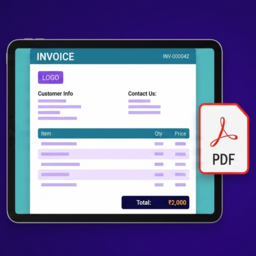
Looking for a free WooCommerce PDF Invoice plugin? PDF Invoice Document Manager for WooCommerce helps you generate professional PDF invoices, print invoices, manage automatic invoice numbers, add GST/VAT details, and let customers download invoices directly from their account—without subscriptions o
PricingFree downloadThe WordPress.org download is free. Pro versions, add-ons or external services may cost extra.
CompatibilityRequires WordPress 6.5 and PHP 8.0.
SourceWordPress plugins · Oct 23, 2026
01 / Source details
Aboutthistool.
Looking for a free WooCommerce PDF Invoice plugin? PDF Invoice Document Manager for WooCommerce helps you generate professional PDF invoices, print invoices, manage automatic invoice numbers, add GST/VAT details, and let customers download invoices directly from their account—without subscriptions or third-party services.
Use it as a practical invoice generator for WooCommerce orders. Create a clean Customer Invoice, Tax Invoice, GST Invoice, VAT invoice, ABN invoice, EIN invoice, or general PDF Invoice using flexible labels that match your business and country.
The plugin includes PDF Download, Print Invoice, Packing Slips (view, print, and PDF), optional invoice attachment on the Completed Order email, automatic invoice numbering, company branding, product code labels, bank details, notes, terms, signatures, customer invoice access, guest invoice links, WooCommerce HPOS support, and a live invoice preview from the WooCommerce admin.
Perfect For
WooCommerce stores that need PDF invoices.
Small businesses that want simple invoice management.
GST businesses that need GSTIN and HSN/SAC labels.
B2B and wholesale stores that need invoice records.
International stores that use VAT, ABN, EIN, CRN, or custom Tax ID labels.
Physical product stores that need itemized product invoices.
Digital product stores that need downloadable customer invoices.
Store owners who want built-in PDF downloads and one-click invoice printing without relying on third-party services.
Why Store Owners Choose This Plugin
Generate professional PDF invoices in seconds.
Keep invoices organized with automatic invoice numbers and custom prefixes.
Display company branding professionally on every invoice.
Let customers download invoices from their My Account page.
Add bank details so customers can pay directly from the invoice.
Preview invoice changes before saving.
Use PDF invoice features without creating an external account.
Works with WooCommerce HPOS and WordPress Multisite.
Free Plugin Features
PDF Invoice Features
Generate WooCommerce invoices from order data.
Download high-quality PDF invoices.
Open invoices from the WooCommerce admin order screen.
Print invoices directly from the invoice viewer.
Download invoice PDFs from the invoice viewer.
Show customer invoice actions in the WooCommerce My Account orders page for completed orders.
Allow guest invoice access through a valid WooCommerce order key.
Share secure, clickable invoice links directly through WhatsApp Web — no WhatsApp API required.
Show a friendly PDF error page if PDF generation fails.
Email Attachment (Free)
Optionally attach the invoice PDF to the customer Completed Order email.
Enable or disable this from WooCommerce > Invoice Settings.
Other email types and packing slip email attachments are available in the Pro add-on.
Invoice Numbering
Keep invoices organized with automatic invoice number assignment.
Add a custom invoice prefix.
Set the next invoice number.
Control invoice number padding.
Store invoice dates when invoices are created.
Reduce duplicate invoice number risk with atomic invoice number assignment during concurrent order processing.
Company Branding
Display your company name, address, phone, and email on every invoice.
Add a professional logo using the WordPress media library, with a configurable maximum display height.
Optionally show your logo as a faded watermark behind the invoice content, with adjustable opacity.
Add an optional signature image.
Customize the signature label.
Use {{company_name}} inside the signature label.
Set an accent color for invoice headings and totals.
Customize the invoice title, such as Invoice, Tax Invoice, GST Invoice, or another label.
GST, VAT, and Tax ID Support
Add your business Tax ID to invoices.
Rename the Tax ID label to GSTIN, VAT Number, ABN, EIN, CRN, or custom text.
Create invoices that better fit local tax terminology.
Use the same invoice plugin for Indian GST invoices and international tax invoices.
Product Code and HSN/SKU Column
Add product-level HSN codes from the WooCommerce product edit screen.
Show or hide the product code column on invoices.
Rename the product code column to HSN, SAC, SKU, HS Code, Tariff Code, Product Code, or custom text.
Keep product invoices clearer for GST, B2B, wholesale, and international orders.
Invoice Totals and Tax Details
Show product/service name, quantity, MRP, rate, discount, tax, and amount.
Show taxable amount, tax rows, delivery charge, total payable, received amount, and due amount.
Show total amount in words.
Use Indian numbering format for INR, BDT, NPR, PKR, and LKR.
Use international numbering format for other supported currencies.
Handle Cash on Delivery due amount based on WooCommerce paid status.
Bank Details, Notes, and Terms
Add bank account name.
Add bank account number.
Add IFSC / SWIFT / BIC.
Add bank and branch / name.
Add invoice notes.
Add terms and conditions.
Hide empty optional fields automatically on the invoice.
Admin Settings and Live Preview
Manage settings from WooCommerce > Invoice Settings.
Use organized settings sections for branding, company details, product table, bank details, notes, terms, invoice numbering, and data management.
Preview invoice changes before saving.
Use the latest WooCommerce order as sample data in the live preview.
Validate required fields before settings are saved.
Optionally remove plugin data on uninstall.
Compatibility
Requires WooCommerce.
Compatible with WooCommerce High-Performance Order Storage (HPOS).
Compatible with WordPress Multisite.
Works with classic and block-based WooCommerce checkout because invoices are generated from WooCommerce order data.
Translation ready with a plugin text domain and language template.
Pro Add-on
Need more advanced invoice workflows?
Upgrade to PDF Invoice Document Manager for WooCommerce Pro to unlock custom invoice templates, browser-based PDF generation, WooCommerce email PDF attachments, bulk invoice printing, and ZIP downloads.
The Pro add-on requires the free WordPress.org plugin to be installed and active.
Pro Features
Custom Templates and PDF Rendering
Create custom HTML/CSS invoice templates.
Use invoice placeholders for order, billing, shipping, company, product, tax, total, note, and bank details.
Generate PDFs with a browser PDF engine using headless Chrome/Edge for modern custom templates.
Use Auto PDF mode so custom templates use the browser engine and the default invoice layout uses Dompdf.
WooCommerce Email Attachments
Automatically attach invoice PDFs to selected WooCommerce order emails.
Choose admin and customer email types separately.
Attach Packing Slip PDFs to the admin New Order email.
Prevent Packing Slips from being attached to customer emails.
Bulk Invoice and Packing Slip Actions
Bulk print invoices from the WooCommerce orders list.
Bulk download invoice PDFs as a single ZIP file.
Bulk print Packing Slips.
Free vs Pro
The free plugin includes everything needed to generate professional WooCommerce PDF invoices.
Upgrade to Pro if you need advanced automation, custom layouts, email PDF attachments, and bulk invoice workflows.
Included in Free
PDF Invoice Generator.
Automatic Invoice Numbering.
Customer Invoice Downloads.
Print Invoice button.
Packing Slip view, print, and PDF download.
Attach invoice PDF to Completed Order email.
Company Branding.
GST / VAT / Tax ID label support.
HSN / SKU / product code column.
Bank details, notes, and terms.
Live Invoice Preview.
Guest invoice access by order key.
HPOS Support.
WordPress Multisite support.
Translation-ready plugin structure.
Pro Adds
Custom Invoice Templates.
Pre-designed Templates.
Browser PDF Engine.
WooCommerce Email PDF Attachments (any selected email types).
Attach packing slip PDF to admin emails.
Bulk Invoice Printing.
Bulk PDF ZIP Downloads.
Bulk Packing Slip Printing.
See it in action
Screenshots & previews.
Professional invoice PDF generated from WooCommerce orders.Invoice Settings page with branding options and company information.Branding settings for invoice title, accent color, logo, logo max height, watermark and signature.Company details including business information and Tax ID configuration.Product table settings with optional HSN column and bank account details.Notes & Terms section with automatic invoice numbering.Invoice numbering and plugin data management settings.Live invoice preview that updates as you customize invoice settings.Packing slips with shipping and product details.
02 / Source details
Gettingstarted.
01Make sure WooCommerce is installed and active.
02Install the plugin from Plugins > Add New, or upload the rakeshdhiman-invoice-manager-woocommerce folder to /wp-content/plugins/ .
03Activate the plugin from the Plugins screen in WordPress.
04Go to WooCommerce > Invoice Settings.
05Fill in the required fields: Invoice Title, Company Name, Company Address, Company Phone, Company Email, and Logo URL.
06Use Choose Image to select your logo from the WordPress media library.
07Configure your Tax ID label, product code column, bank details, notes, terms, and invoice number settings.
08Check the live invoice preview.
09Click Save Changes.
10Open a WooCommerce order to view, print, or download the invoice PDF.
03 / Source details
Frequently asked questions.
Does this plugin generate WooCommerce PDF invoices?
Yes. The free plugin generates high-quality PDF invoices. Store admins and customers can download invoices from the available invoice links.
Can I print invoices from WooCommerce?
Yes. You can open an invoice from the WooCommerce admin order screen and use the Print Invoice button in the invoice viewer.
Can customers download invoices?
Yes. Completed orders can show invoice and PDF download actions in the customer’s WooCommerce My Account orders page.
Can guest customers access an invoice?
Yes. Guest invoice access is supported when the invoice URL includes a valid WooCommerce order key.
Can I customize my invoice branding?
Yes. You can customize the invoice title, company details, logo, signature image, signature label, and accent color from WooCommerce > Invoice Settings.
Can I show my logo as a background watermark?
Yes. Enable the Logo Watermark option in WooCommerce > Invoice Settings and set the opacity you want. It reuses the logo you’ve already uploaded, so no separate image is needed.
Does the free plugin attach invoice PDFs to WooCommerce emails?
Yes, optionally. Enable “Attach Invoice to Completed Email” in WooCommerce > Invoice Settings to automatically attach the invoice PDF to the customer Completed Order email only. Attaching invoices to other email types, and attaching packing slips to admin emails, is available in the Pro add-on.
Does the free plugin include Packing Slip features?
Yes. Packing Slip view, print, and PDF download are included in the free plugin. Bulk Packing Slip printing remains a Pro feature.
Can I create a GST Invoice with this plugin?
Yes. You can set the invoice title to GST Invoice or Tax Invoice, set the Tax ID label to GSTIN, and use the optional HSN/SAC product code column. The plugin gives you invoice fields and layout controls, but you should confirm your final invoice format with your accountant or tax advisor.
Can I use this outside India?
Yes. The Tax ID label and product code column label are editable, so the same invoice layout can be used for VAT Number, ABN, EIN, CRN, SKU, HS Code, Tariff Code, or another label.
Can I change the invoice number format?
Yes. Go to WooCommerce > Invoice Settings > Invoice Numbering to set the invoice prefix, next invoice number, and number padding.
When is an invoice number assigned?
An invoice number is assigned when the invoice is created. This normally happens when an order reaches processing or completed status, or when an authorized user opens or downloads the invoice.
Can I hide the HSN column?
Yes. You can disable the product code column completely from WooCommerce > Invoice Settings.
Can I rename the HSN column to SKU or HS Code?
Yes. The column label is configurable. You can use HSN, SAC, SKU, HS Code, Tariff Code, Product Code, or any custom text.
Does the plugin show tax details?
Yes. The invoice includes taxable amount, tax rows from the WooCommerce order, delivery charge, total payable, received amount, and due amount.
Does it show the invoice total in words?
Yes. The invoice includes the total amount in words. INR, BDT, NPR, PKR, and LKR use the Indian numbering system; other currencies use the international numbering system.
Can I add bank details to the invoice?
Yes. You can add account name, account number, IFSC / SWIFT / BIC, and bank / branch details. Empty bank fields are hidden automatically.
Can I add my store logo and signature?
Yes. You can add a logo and optional signature image from the settings page.
Does the live preview show unsaved changes?
Yes. The live preview updates while you edit settings. The changes are applied to real invoices only after you click Save Changes.
Does this plugin support WooCommerce HPOS?
Yes. The plugin declares compatibility with WooCommerce High-Performance Order Storage, also known as HPOS or custom order tables.
Does this plugin work with WooCommerce Blocks checkout?
Yes. The plugin works from WooCommerce order data, so it works with orders created through classic checkout or block-based checkout.
Is the plugin translation ready?
Yes. The plugin includes a text domain and language template so it can be translated through the standard WordPress translation workflow.
Does uninstalling the plugin delete invoice data?
Not by default. If you want plugin settings and stored invoice meta removed during uninstall, enable Delete Data on Uninstall before uninstalling the plugin.
Does the free plugin support custom invoice templates?
No. Custom HTML/CSS invoice templates are available in the Pro add-on. The free plugin uses the built-in default invoice layout.
Will this plugin slow down my store?
No. Invoices are generated only when they are viewed or downloaded, helping keep your storefront fast.
Where can I report bugs or request features?
Please use the WordPress.org support forum for this plugin.
Website LLMs.txt and LLMs-Full.txt Generator is an LLMs.txt generator and llms-full.txt generator for WordPress. It helps site owners generate, manage, preview, validate, and serve AI discovery files from published public content. Use it to create structured /llms.txt and optional /llms-full.txt end
EngageDock AI is a customizable floating contact widget for WordPress websites that want more leads and faster visitor communication. It helps small businesses turn website traffic into calls, texts, emails, and callback requests from one clean contact panel. Key Features: Click-to-Call – One tap ca
Altify AI is an auto ALT text and AI ALT text plugin for WordPress images. It helps generate descriptive image ALT text for accessibility and image SEO. Use bulk image ALT text tools for your Media Library, generate featured image ALT text automatically, and scale WooCommerce image ALT updates with
The Accepted Payment Methods plugin is a straightforward, lightweight solution that enhances your website by displaying visually appealing icons of the payment methods you accept. This plugin is ideal for a variety of websites, including e-commerce platforms, service-oriented websites, and informati