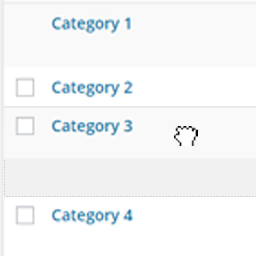
Simple Taxonomy Ordering
Order all of the taxonomy terms on your site with a simple to use, intuitive drag and drop interface. The plugin works for WordPress core taxonomies — Categories and Tags — and any custom taxonomies you have created. Activate the plugin, enable your taxonomy on the settings page, and drag and drop t
About this tool.
Order all of the taxonomy terms on your site with a simple to use, intuitive drag and drop interface. The plugin works for WordPress core taxonomies — Categories and Tags — and any custom taxonomies you have created.
Activate the plugin, enable your taxonomy on the settings page, and drag and drop the taxonomies into the desired position. It couldn’t be easier.
On the front end of the site your taxonomy terms will display in the order set in the dashboard.
Requires WordPress 4.4 or later due to the use of the term meta. Query Usage
- If you’re trying to query for taxonomy terms (e.g. using WP_Query or functions like get_terms() ), and you’d like them to be returned in the order specified by the plugin, you need to add the tax_position parameter in your call. For example: 'meta_key' => 'tax_position' and 'orderby' => 'tax_position' . Thanks to @certainlyakey on GitHub for pointing this out.
A closer look.
Getting started.
- 01Unzip and upload contents to your plugins directory (usually wp-content/plugins/).
- 02Activate the plugin.
- 03Head to the settings page, ‘Settings > Simple Tax. Ordering’.
- 04Select the taxonomies you want to enable drag and drop ordering on. Save the settings.
- 05Head to the taxonomy edit page and re-order the taxonomies as needed.
- 06Profit





