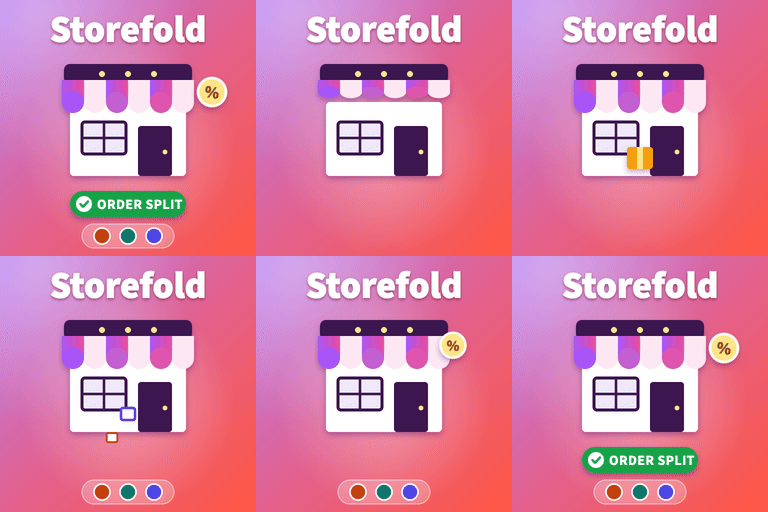
Storefold lets other sellers open their own store inside your WooCommerce shop. Sellers apply, you approve them, and they manage their products and orders from a clean dashboard on the front of your site. Customers check out once; every seller receives only their part of the order and you keep a com
PricingFree downloadThe WordPress.org download is free. Pro versions, add-ons or external services may cost extra.
CompatibilityRequires WordPress 6.4 and PHP 7.4.
SourceWordPress plugins · Oct 20, 2026
01 / Source details
About this tool.
Storefold lets other sellers open their own store inside your WooCommerce shop. Sellers apply, you approve them, and they manage their products and orders from a clean dashboard on the front of your site. Customers check out once; every seller receives only their part of the order and you keep a commission.
Live demo: Free version | Pro version
Documentation: Free version | Pro version
Support: propluginslab.io/support
Everything is explained inside the plugin: each setting has a short description and a link to the built-in Help and docs screen.
For marketplace owners
Vendor applications with manual or automatic approval, optional seller terms checkbox, and spam protection.
Add vendors yourself, approve, suspend, reject or delete them one by one or in bulk.
Automatic order splitting: one checkout for the customer, one sub-order per vendor with its items, coupon discounts, its share of shipping and its tax. Parent and sub-order statuses stay in sync, stock is reduced once, the customer gets one set of WooCommerce emails, and WooCommerce Analytics counts the order once.
Commission as a percentage, a fixed amount per item, or both, with a live example while you type.
Choose whether shipping and tax go to you or to the vendor.
Earnings become available when the order is completed or paid. Refunds on the customer’s order (items, shipping, tax or an amount) take the matching amount back from each vendor automatically, and refunds started on a vendor order go back through the customer’s payment method.
An append-only ledger for every vendor with manual balance adjustments.
Withdrawals by PayPal or bank transfer with a minimum amount. A payout can never be paid twice.
Commissions screen with filters and CSV export.
Marketplace overview with monthly numbers, a “needs your attention” list and health checks.
Ten marketplace emails registered as WooCommerce emails, with editable subject, heading and body text, placeholders and previews: new application, approval, rejection, suspension, new vendor order (sent once the order is paid), product waiting for review, product approved, payout requested, payout sent and payout declined.
“Sold by” labels on product pages, shop listings, cart, checkout (classic and block) and orders.
Vendor column and an “All vendors” filter in the Products list.
Announcements to all vendors.
Store reviews with optional approval before they appear, hide, delete and reported reviews, Verified buyer labels and public replies from the seller.
Setup wizard and full built-in documentation.
HPOS (custom order tables) and Cart and Checkout block compatible.
For vendors
A step-by-step application form that creates the account at the same time.
A responsive dashboard that adapts to any theme: overview with setup checklist, products, orders, coupons, earnings, payouts, announcements, reviews and settings.
Simple and variable products with per-variation price, sale price, SKU and stock, gallery images and downloadable files (stored in WooCommerce’s protected folder).
Orders with status updates, shipping tracking and notes shown to the customer.
Coupons limited to their own products.
Earnings download: vendors export their own sales and earnings as a CSV file, with an optional date range.
Store page at /store/store-name/ with banner, logo, policies, products and reviews.
Vacation mode with a custom message, shown on the store page and the product page.
Privacy and security
Vendors never see wp-admin and only see their own media uploads, also through the REST API.
Every form uses nonces and capability checks; every database query is prepared.
Vendor data and store reviews are included in the WordPress personal data export and erase tools.
External services
This plugin does not connect to any external service.
Pro version
Storefold Pro is a separate, standalone edition for larger marketplaces. It contains everything in this free edition and adds:
Vendor reports with charts and a marketplace report.
Refund and return requests from the customer’s order page.
Customer to seller messaging.
Per-vendor shipping zones with flat rate, free shipping, local pickup and table rates.
Automatic weekly or monthly payouts, Stripe Connect payouts and an earning hold period.
Commission rules per product, per vendor and per product category.
Seller membership plans with product limits, plan commission, pro-rated upgrades and renewal reminders.
Several sellers per product, staff accounts and identity verification.
Customer disputes, an activity log, signed webhooks and CSV vendor import.
This free edition is complete on its own and does not require Pro. When Pro is active this free edition stays idle and all data is kept.
More plugins from ProPluginsLab
Free on WordPress.org:
Back In Stock Notifier for WooCommerce – Waitlist and restock email alerts for out of stock products.
Recovero – Cart Recovery for WooCommerce – Recover abandoned carts with automated emails.
Anticipo – Pre-Orders for WooCommerce – Take pre-orders before a product launches.
Affireo – Affiliates for WooCommerce – Run an affiliate and referral program.
Dispatchio – Shipment Tracking for WooCommerce – Add tracking numbers and shipment updates to orders.
Presentero – Gift Cards for WooCommerce – Sell and redeem digital gift cards.
Kitero – Product Configurator for WooCommerce – Build composite products and kits.
Plusero – Extra Fees for WooCommerce – Add conditional checkout fees and surcharges.
Inputo – Name Your Price for WooCommerce – Let customers choose what they pay.
Mercenza – B2B for WooCommerce – Sell wholesale with customer groups, wholesale prices and trade accounts.
Visuaro – Product Designer for WooCommerce – Let customers design custom products in the browser.
Christmas Snow – Festive Snowfall Effect – Add a lightweight snowfall effect to any site.
Pro plugins at propluginslab.io :
Recovero Pro
Anticipo Pro
Affireo Pro
Storefold Pro
Dispatchio Pro
Presentero Pro
Kitero Pro
Plusero Pro
Inputo Pro
Mercenza Pro
Visuaro Pro
Back In Stock Notifier Add-ons – 26 add-ons incl. Mailchimp, Klaviyo, Twilio SMS, WPML, or all of them in the Bundle .
See it in action
Screenshots & previews.
Each health check shows OK or Check with the fix written next to it.The Vendor orders line links each vendor sub-order created from this checkout.Shoppers search stores by name and open a store page.The setup checklist guides new vendors through their first steps.Vendors add and edit their own products here.All marketplace rules on one screen; click Save settings at the bottom.Status buttons in the Actions column change one store; Bulk actions changes several at once.The Adjust balance form at the bottom adds or deducts an amount with a reason the vendor can see.Export CSV downloads exactly the rows that match your filters.Every vendor sees new announcements on their dashboard.
02 / Source details
Getting started.
01Install and activate WooCommerce.
02Upload the storefold-multivendor-for-woocommerce folder to /wp-content/plugins/ , or install it from Plugins, Add New.
03Activate the plugin. A notice on the Plugins screen offers the setup wizard.
04Add the “Become a Vendor” and “Stores” pages to your menu.
03 / Source details
Frequently asked questions.
Does the customer see several orders?
No. The customer pays once and sees one order. Vendor sub-orders are created in the background and hidden from the customer account.
How does a vendor get paid?
The vendor requests a withdrawal from their dashboard. You send the money by PayPal or bank transfer and mark the request as paid under Storefold, Withdrawals.
What happens on a refund?
Refund the customer’s order in WooCommerce as usual, by item, shipping or amount. Storefold copies the refund to the vendor orders it covers and takes the matching amount from each vendor’s earnings. You can also click Refund on a vendor order: the refund is sent through the customer’s order and its payment method for those items, then copied back to the vendor order.
Does WooCommerce send the customer an email for every vendor?
No. WooCommerce’s own order emails go out for the customer’s order only. Each vendor gets one “new vendor order” email once the order is paid.
Can I change the look of the vendor pages?
Yes. Copy any file from the plugin templates folder to yourtheme/storefold/ and edit the copy.
Where do I edit the emails?
Under WooCommerce, Settings, Emails. Each marketplace email has editable subject, heading and body text with placeholders. Leave the body empty to use the default text.
Can vendors use wp-admin?
No. Vendors work from the Vendor Dashboard page on the front of the site.
Is it compatible with High-Performance Order Storage?
Yes. All order access uses the WooCommerce CRUD layer.
Can vendors export their sales?
Yes. On the Vendor Dashboard, Earnings screen, vendors can download a CSV file of their own sales and earnings, for all time or for a date range. It only ever contains that vendor’s rows.
Website LLMs.txt and LLMs-Full.txt Generator is an LLMs.txt generator and llms-full.txt generator for WordPress. It helps site owners generate, manage, preview, validate, and serve AI discovery files from published public content. Use it to create structured /llms.txt and optional /llms-full.txt end
EngageDock AI is a customizable floating contact widget for WordPress websites that want more leads and faster visitor communication. It helps small businesses turn website traffic into calls, texts, emails, and callback requests from one clean contact panel. Key Features: Click-to-Call – One tap ca
Altify AI is an auto ALT text and AI ALT text plugin for WordPress images. It helps generate descriptive image ALT text for accessibility and image SEO. Use bulk image ALT text tools for your Media Library, generate featured image ALT text automatically, and scale WooCommerce image ALT updates with
The Accepted Payment Methods plugin is a straightforward, lightweight solution that enhances your website by displaying visually appealing icons of the payment methods you accept. This plugin is ideal for a variety of websites, including e-commerce platforms, service-oriented websites, and informati