The FinderPress tool directory
WordPress plugin
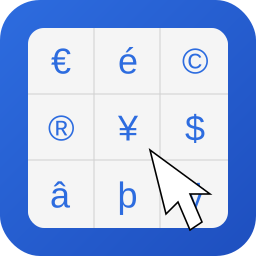
WebTextTools Character Picker
WebTextTools Character Picker adds a lightweight character picker to Gutenberg so writers can insert common accented and special symbols in one click. Perfect for adding symbols like €, π, ©, é, and more directly while writing. Features: One-click insert for HTML entities and special characters Tool
PricingFree downloadThe WordPress.org download is free. Pro versions, add-ons or external services may cost extra.
CompatibilityRequires WordPress 6.3 and PHP 7.4.
SourceWordPress plugins · Oct 22, 2026
01 / Source details
WebTextTools Character Picker adds a lightweight character picker to Gutenberg so writers can insert common accented and special symbols in one click.
Perfect for adding symbols like €, π, ©, é, and more directly while writing.
Features:
- One-click insert for HTML entities and special characters
- Toolbar button in rich text controls
- Searchable character list
- Tabs for Accents, Symbols, Currency, and Math
- Hover tooltips with character and HTML entity
- Optional copy-to-clipboard action
- Recently used characters list
- Optional subtle footer credit link configurable in Settings
No frontend assets are loaded. The plugin only runs in the block editor.
See it in action
A closer look.
02 / Source details
- 01Upload the plugin folder to /wp-content/plugins/ .
- 02Activate the plugin through the Plugins screen.
- 03Open the block editor and use the Insert special character button in text block toolbar.
- 04Configure branding in Settings -> Character Picker .
03 / Source details
Frequently asked questions.
Does this add scripts to the frontend?
No. Scripts and styles are loaded only in the block editor.
Can I disable the WebTextTools credit link?
Keep exploring




