WP Attach
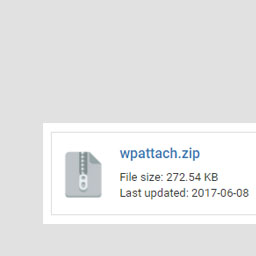
WP Attach allows you to attach files to posts or pages as an information box by using the shortcode [wpattach link=”LINK_TO_YOUR_FILE”]. Filetypes supported includes: .jpg .png .mp3 .mp4 .pdf .ae .ai .avi .css .doc .docx .docs .dw .eps .fl .fla .fw .html .id .ps .psd .ppt .pptx .xls .xlsx .slides .s
WP Attach allows you to attach files to posts or pages as an information box by using the shortcode [wpattach link=”LINK_TO_YOUR_FILE”]. Filetypes supported includes: .jpg .png .mp3 .mp4 .pdf .ae .ai .avi .css .doc .docx .docs .dw .eps .fl .fla .fw .html .id .ps .psd .ppt .pptx .xls .xlsx .slides .sheets
A closer look.
- 01Upload wpattach.zip to the /wp-content/plugins/ directory
- 02Activate the plugin through the ‘Plugins’ menu in WordPress
- 03All done! 🙂
Frequently asked questions.
Installation Instructions
Upload wpattach.zip to the /wp-content/plugins/ directory Activate the plugin through the ‘Plugins’ menu in WordPress All done! 🙂
How to use the plugin?
Just add the following code to your post or page: [wpattach link=”LINK_TO_YOUR_FILE”]
I need additional help!
No problem, just contact me (Gabriel Chi Hong Lee) and I’ll see what I can do for you. You can find me here: WordPress GitHub StackOverflow Email: chihonglee777@gmail.com




