WP Booking System – Booking Calendar
WP Booking System is a WordPress booking plugin and availability calendar designed for daily rentals. Used on more than 20,000 WordPress websites, it helps rental businesses accept bookings, manage availability and synchronize calendars. Is this booking calendar for you? Do you rent something out, l
About this tool.
WP Booking System is a WordPress booking plugin and availability calendar designed for daily rentals. Used on more than 20,000 WordPress websites, it helps rental businesses accept bookings, manage availability and synchronize calendars.
Is this booking calendar for you?
- Do you rent something out, like a holiday home, a boat or something else?
- Do you have a WordPress website and need a bit of help to keep track of your rentals through a booking calendar?
…then yes! The WP Booking System is perfect for your needs.
Get easy online booking with this lightweight and powerful booking system.
A set-and-forget booking calendar for your rental business
WP Booking System is a simple booking calendar for WordPress. You will be up and running in just a few minutes. You can create booking calendars and forms, and you can manage your bookings. You can easily customize the booking calendar to fit your needs.
Start receiving bookings from your visitors today!
Display available dates in your booking calendar
With just one click you can create the first booking calendar for your holiday home or rental business. Already have bookings made? You can manually manage the calendar’s availability in just a few seconds.
Now your booking calendar is up to date with the latest bookings and available dates!
Create a form and enable clients to make bookings online
The beauty of this WordPress booking calendar is that it allows your website visitors to book available calendar dates on the spot through a fully customizable booking calendar form.
Enable your clients to use the rental calendar fast and easy. In just three simple steps, clients will be able to reserve a slot on your booking calendar:
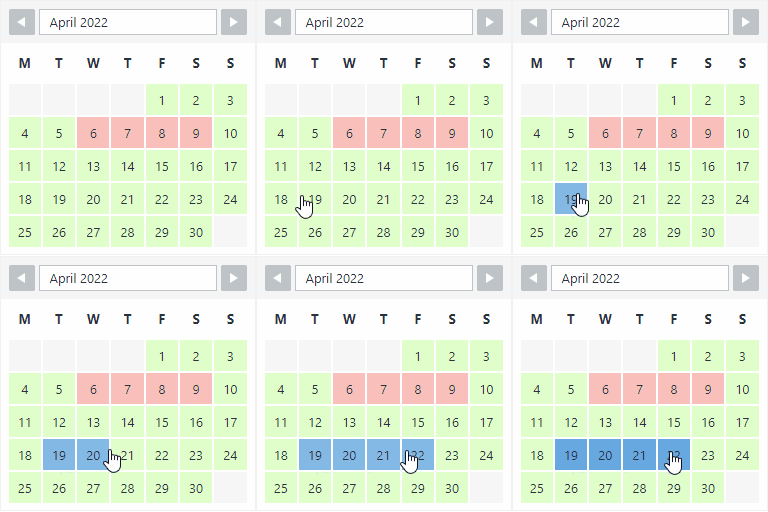
- Hover over the booking calendar to pick a starting date. Click on it, then move the cursor to select the number of days to book. (clients can easily see booked days by using the booking system legend)
- Next, fill in the booking system form (you can edit the form fields at any time to make sure clients submit the most relevant information you need; mark fields as compulsory or optional)
- Finally, click the booking button to make a reservation.
With the premium version of the booking system, you can allow customers to make online bookings using the top payment platforms available at the moment!
Click here to see a demo of the premium version




